
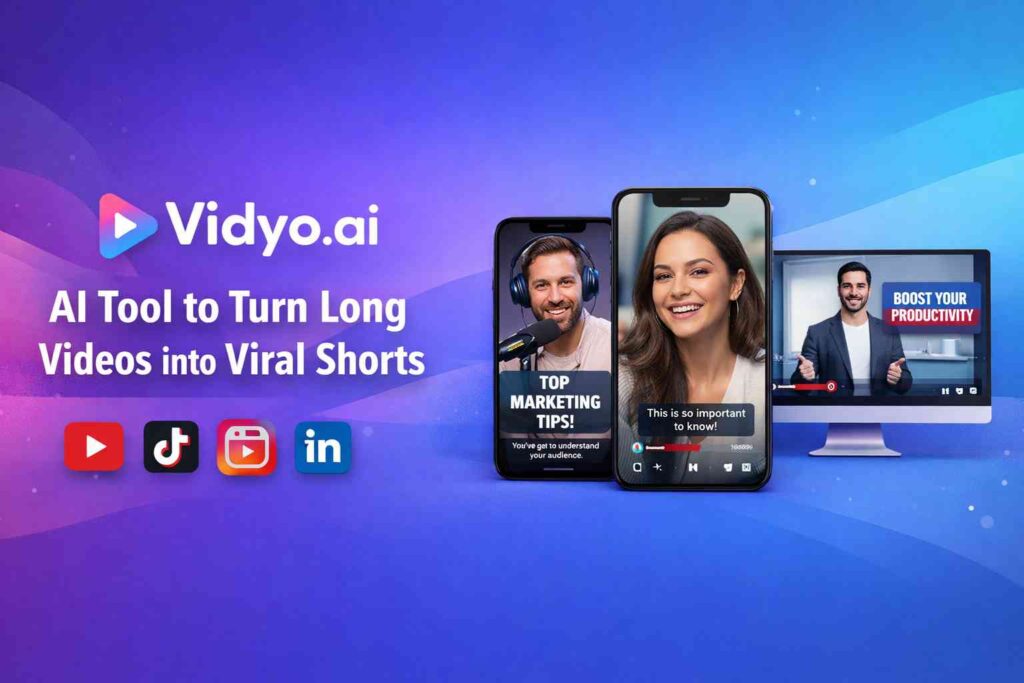
In today’s attention economy, long-form videos alone are no longer enough. Audiences scroll fast, platforms reward short-form content, and creators need speed without sacrificing quality. Vidyo.ai solves this exact problem by using artificial intelligence to transform long videos into engaging, platform-ready short clips in minutes.
Whether you’re a YouTuber, podcaster, coach, marketer, or business owner, Vidyo.ai helps you repurpose content efficiently and grow across social platforms like YouTube Shorts, Instagram Reels, TikTok, LinkedIn, and more.
This in-depth guide explains what Vidyo.ai is, how it works, its key features, real-world use cases, pros and cons, pricing overview, and whether it’s the right AI video tool for you.
What Is Vidyo.ai?
Vidyo.ai is an AI-powered video repurposing platform designed to automatically extract the most engaging moments from long videos and convert them into short, shareable clips. Instead of manually scrubbing through hours of footage, the tool analyzes speech, context, and engagement signals to highlight moments that are likely to perform well on social media.
The platform focuses on speed, simplicity, and scalability, making it ideal for both individual creators and teams managing large volumes of video content.
How Vidyo.ai Works (Step-by-Step)
Using Vidyo.ai requires no technical editing skills. The workflow is straightforward:
1. Upload Your Long Video
Upload a YouTube video, podcast recording, webinar, interview, or training session directly to the dashboard.
2. AI Analyzes the Content
Vidyo.ai’s AI scans the video to identify high-impact moments based on speech patterns, keywords, pauses, and emotional cues.
3. Automatic Clip Creation
The system generates multiple short clips optimized for different platforms, typically 15–60 seconds long.
4. Add Subtitles & Branding
Auto-generated captions improve accessibility and retention. You can customize fonts, colors, layouts, and brand elements.
5. Export & Publish
Download clips in the correct aspect ratio (9:16, 1:1, 16:9) and post them instantly across platforms.
Key Features of Vidyo.ai
AI Clip Detection
Automatically finds viral-worthy moments without manual review.
Auto Subtitles & Captions
Accurate subtitles with customization options to match your brand style.
Multiple Aspect Ratios
Create vertical, square, or horizontal videos for different platforms from a single source file.
Speaker Tracking & Smart Framing
Keeps faces centered and visuals engaging, even when the speaker moves.
Social Media Optimization
Clips are optimized for platforms like TikTok, Instagram Reels, YouTube Shorts, and LinkedIn.
Fast Cloud-Based Processing
No heavy software installation required—everything runs online.
Who Should Use Vidyo.ai?
Vidyo.ai is suitable for a wide range of users:
- Content Creators & YouTubers – Repurpose long videos into Shorts and Reels effortlessly
- Podcasters – Turn audio/video podcasts into engaging visual clips
- Coaches & Educators – Share key insights from webinars and courses
- Marketers & Agencies – Scale short-form content for multiple clients
- Businesses & Startups – Boost brand visibility with minimal effort
If your strategy includes video content at any scale, Vidyo.ai significantly reduces production time.
Benefits of Using Vidyo.ai
Saves Time
What used to take hours of manual editing can now be done in minutes.
Improves Content Reach
Short-form videos dramatically increase visibility and engagement across platforms.
Beginner-Friendly
No prior video editing experience required.
Consistent Branding
Templates and customization options help maintain a professional, consistent look.
Cost-Effective
Reduces reliance on professional editors for routine clip creation.
Vidyo.ai Pros and Cons
✅ Pros
- AI-powered automation
- Easy-to-use interface
- Fast clip generation
- Built-in subtitles
- Ideal for short-form content growth
❌ Cons
- Limited advanced manual editing tools
- AI clip selection may need occasional refinement
- Best results depend on clear audio quality
Vidyo.ai Pricing Overview
Vidyo.ai typically offers multiple pricing tiers, including a free or trial plan with limited exports and paid plans for creators, professionals, and teams. Pricing generally scales based on:
- Number of videos processed per month
- Clip length and export limits
- Branding and customization options
- Team collaboration features
For the most accurate and up-to-date pricing, users should refer to the official Vidyo.ai website.
Vidyo.ai vs Traditional Video Editing
| Feature | Vidyo.ai | Traditional Editing |
|---|---|---|
| Editing Speed | Minutes | Hours or Days |
| Skill Required | Beginner | Intermediate–Advanced |
| Cost | Low–Moderate | High |
| Scalability | High | Limited |
| Short-Form Focus | Yes | Manual |
Vidyo.ai is not meant to replace professional cinematic editing but excels at fast, scalable content repurposing.
Is Vidyo.ai Safe and Reliable?
Yes. Vidyo.ai is cloud-based, does not require software downloads, and is widely used by creators and businesses worldwide. It aligns well with platform policies and content safety standards, making it suitable for monetized channels and AdSense-friendly websites.
Frequently Asked Questions (FAQ)
Is Vidyo.ai free to use?
Vidyo.ai usually offers a free or trial plan with limited features. Paid plans unlock higher limits and advanced options.
Can Vidyo.ai create YouTube Shorts?
Yes, it’s specifically optimized for YouTube Shorts, Instagram Reels, TikTok, and LinkedIn videos.
Does Vidyo.ai support subtitles?
Yes, automatic captions are one of its core features.
Is Vidyo.ai good for podcasts?
Absolutely. Podcasters use it to convert long episodes into engaging short clips.
Do I need editing experience?
No. Vidyo.ai is designed for beginners and professionals alike.
Final Verdict: Is Vidyo.ai Worth It?
If you create long-form video content and want to grow faster on short-form platforms, Vidyo.ai is a powerful, time-saving solution. Its AI-driven workflow removes the biggest bottleneck in video marketing—editing—while helping creators stay consistent and visible across platforms.
For creators, marketers, and businesses looking to scale video content without hiring large editing teams, Vidyo.ai delivers real value with minimal effort.
Bottom Line: Vidyo.ai is an efficient, user-friendly AI video tool that turns long videos into scroll-stopping short clips—perfect for today’s content-driven digital world.

Leave a Reply