
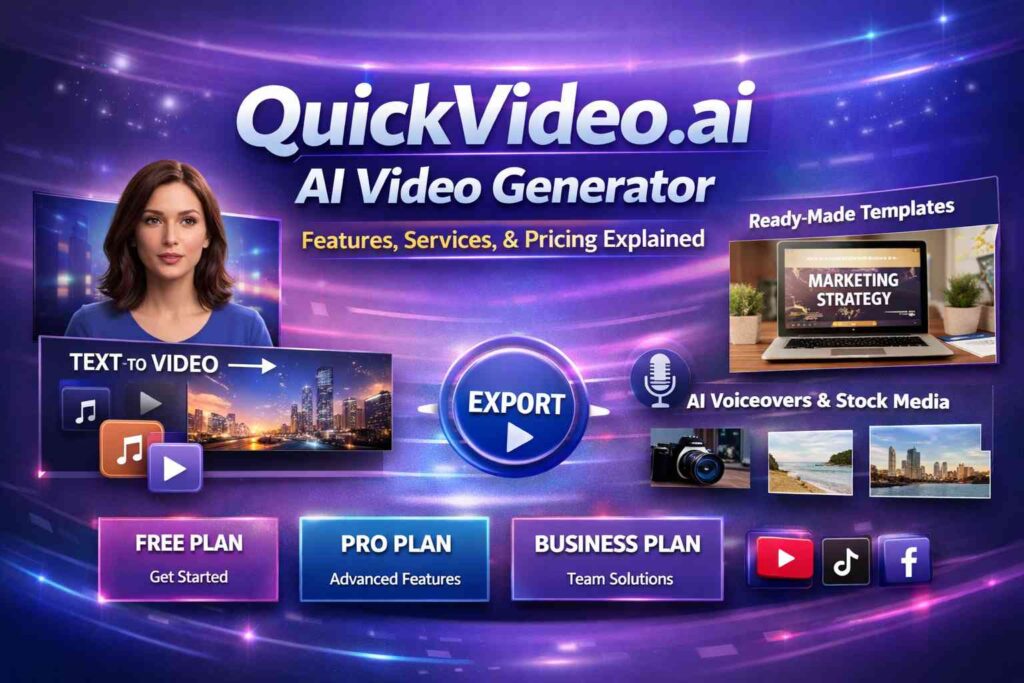
Video content has become one of the most powerful ways to capture attention online. From marketing campaigns and social media posts to product demos and educational content, businesses and creators are increasingly relying on videos to communicate faster and more effectively. This growing demand has fueled the rise of AI-powered video creation tools, and QuickVideo.ai is one of the platforms designed to simplify and speed up this process.
In this article, we’ll take an in-depth look at QuickVideo.ai, covering its website service, core product features, use cases, pricing plans, advantages, limitations, and frequently asked questions. If you’re considering an AI video generator for your workflow, this guide will help you decide whether QuickVideo.ai is the right fit.
What Is QuickVideo.ai?
QuickVideo.ai is an AI-driven video generator that allows users to create professional-quality videos without advanced editing skills or expensive software. The platform focuses on speed, automation, and ease of use, making video creation accessible to marketers, entrepreneurs, educators, and content creators.
Instead of manually editing footage, adding animations, or syncing audio, users can rely on artificial intelligence to transform text, scripts, or simple inputs into engaging videos within minutes.
QuickVideo.ai Website Service Overview
The QuickVideo.ai website acts as a cloud-based video creation studio. There is no need to download or install software, as everything runs directly in the browser. This makes it convenient for teams and individuals working across devices.
Key Website Services Include:
- Online AI video creation dashboard
- Template-based video builder
- Text-to-video conversion
- Media library with stock assets
- Cloud rendering and storage
- Export and sharing options
The platform is designed with a clean and intuitive interface, allowing users to focus on content rather than technical complexity.
Core Features of QuickVideo.ai
1. AI Text-to-Video Generation
One of the standout features of QuickVideo.ai is its text-to-video capability. Users can input a script, blog content, or short text prompt, and the AI automatically generates a video with relevant visuals, transitions, and timing.
Best for:
- Blog-to-video repurposing
- Marketing scripts
- Social media captions
- Educational summaries
2. Ready-Made Video Templates
QuickVideo.ai offers a variety of pre-designed templates tailored to different use cases such as marketing, explainer videos, social media ads, product showcases, and presentations.
Templates help users:
- Save time
- Maintain brand consistency
- Create professional layouts without design skills
3. AI Voiceovers and Audio Options
The platform typically includes AI-generated voiceovers with multiple language and accent options. Users can also upload their own voice recordings or background music.
Key benefits:
- No need for external voice actors
- Faster production cycles
- Consistent audio quality
4. Stock Media Library
QuickVideo.ai provides access to a built-in library of stock images, video clips, icons, and animations. This eliminates the need to search for external media sources.
Advantages:
- Copyright-safe assets
- Seamless integration
- Faster editing workflow
5. Custom Branding Tools
For businesses and agencies, branding is essential. QuickVideo.ai allows users to:
- Add logos
- Apply brand colors
- Customize fonts and styles
This ensures all videos align with brand identity.
6. Cloud-Based Rendering and Export
Videos are rendered in the cloud, reducing hardware requirements. Users can export videos in various resolutions suitable for platforms like YouTube, Instagram, TikTok, websites, and presentations.
Use Cases for QuickVideo.ai
QuickVideo.ai is versatile and suitable for multiple industries and purposes:
- Digital Marketing: Ads, promos, social media videos
- E-commerce: Product demos and feature highlights
- Education: Tutorials, explainer videos, training content
- Content Creators: Short-form videos and visual storytelling
- Businesses & Startups: Brand videos and announcements
QuickVideo.ai Pricing Plans
QuickVideo.ai typically offers tiered pricing plans to cater to different user needs. While exact prices may vary or change over time, the structure usually includes:
Free or Trial Plan
- Limited video exports
- Watermarked videos
- Basic templates and features
- Ideal for testing the platform
Basic / Starter Plan
- Increased video limits
- Access to more templates
- Standard export quality
- Suitable for individuals and small creators
Pro Plan
- Higher or unlimited video generation
- Premium templates and stock assets
- No watermarks
- Advanced customization and branding tools
Business / Enterprise Plan
- Team collaboration features
- Priority rendering and support
- API or advanced integrations
- Custom usage limits
For the most accurate and up-to-date pricing, users should always check the official QuickVideo.ai website.
Pros and Cons of QuickVideo.ai
Pros
- Easy to use, even for beginners
- Fast video creation with AI automation
- No software installation required
- Suitable for multiple content types
- Cost-effective compared to traditional video production
Cons
- Limited creative control compared to advanced editors
- AI-generated visuals may need manual refinement
- Advanced features may require higher-tier plans
Is QuickVideo.ai Safe and Reliable?
QuickVideo.ai is designed as a SaaS (Software as a Service) platform with cloud-based security measures. Videos are generated using licensed or AI-created assets, reducing copyright risks. However, users should always review generated content for accuracy, brand alignment, and compliance before publishing.
Frequently Asked Questions (FAQ)
Is QuickVideo.ai suitable for beginners?
Yes. The platform is beginner-friendly and does not require video editing experience.
Can I use QuickVideo.ai for commercial purposes?
Most paid plans allow commercial usage, but users should review the specific licensing terms.
Does QuickVideo.ai support multiple languages?
AI voiceovers and text features often support multiple languages, depending on the plan.
Can I create social media videos?
Yes. QuickVideo.ai supports formats optimized for social platforms.
Do I need powerful hardware?
No. Since rendering is cloud-based, standard devices work fine.
Final Verdict: Is QuickVideo.ai Worth It?
QuickVideo.ai is a practical solution for anyone looking to create videos quickly without the complexity of traditional editing software. Its AI-powered features, template library, and cloud-based workflow make it especially valuable for marketers, small businesses, and content creators who need speed and efficiency.
While it may not replace advanced video editing tools for high-end productions, QuickVideo.ai excels at fast, scalable, and cost-effective video creation. If your goal is to turn ideas or text into engaging videos with minimal effort, it’s a platform worth exploring.

Leave a Reply