
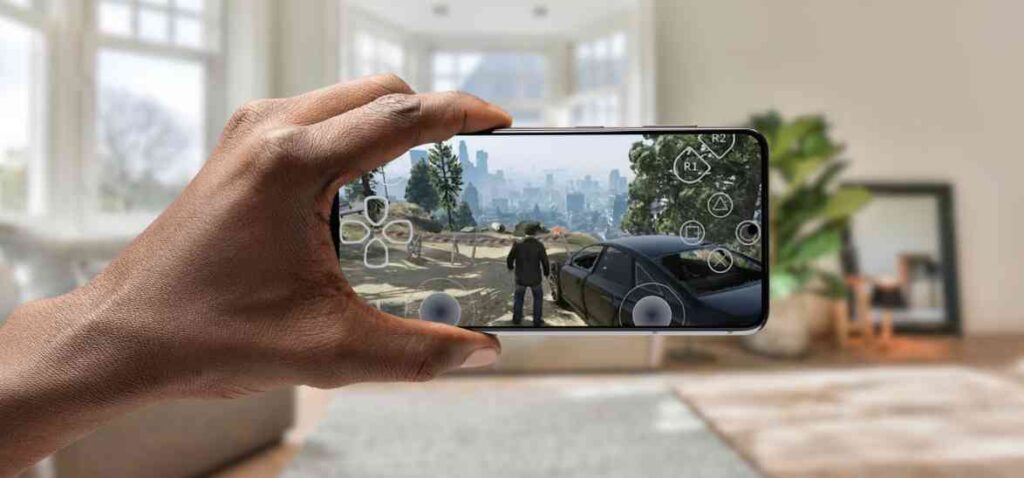
Many players search for how to play GTA V on mobile because they want console-level gameplay on a phone. GTA V offers an open world, realistic missions, and online multiplayer. However, GTA V was never officially released for Android or iOS.
That does not mean playing GTA V on mobile is impossible. It only means you must use the right method.
This guide explains real and safe ways to play GTA V on mobile without fake APKs, scams, or risky downloads.
Can GTA V Be Played Directly on Mobile?
No. GTA V cannot be installed directly on a mobile phone.
Rockstar Games has never launched a native Android or iOS version of GTA V. Any website claiming “GTA V Mobile APK + OBB” is misleading users.
GTA V requires very high hardware power, which mobile devices cannot provide on their own. That is why streaming methods are used.
Real Ways to Play GTA V on Mobile
There are three working and legal methods to play GTA V on mobile.
Each method works differently and suits different users.
Method 1: Play GTA V on Mobile Using Cloud Gaming
Cloud gaming is the easiest method for beginners.
How Cloud Gaming Works
- The game runs on a powerful remote server instead of your phone.
Your mobile device only receives the live video stream and sends control input back to the server. - Because processing happens online, your phone does not need high specs.
Even mid-range phones can handle cloud gaming smoothly.
Requirements for Cloud Gaming
- A stable internet connection is mandatory.
Without strong internet speed, gameplay may lag or stutter. - A cloud gaming subscription may be required.
Some platforms offer trials, but most need monthly payment.
Advantages of Cloud Gaming
- You do not need a PC or console at home.
Everything runs on external servers managed by the provider. - Setup is fast and beginner-friendly.
You can start playing within minutes after logging in.
Disadvantages of Cloud Gaming
- Gameplay fully depends on internet quality.
Weak signals increase input delay and reduce visual quality. - Long sessions can consume a lot of data.
Mobile users should avoid limited data plans.
Method 2: Play GTA V on Mobile Using PC Streaming
PC streaming is best for users who already own a gaming computer.
How PC Streaming Works
- GTA V runs on your personal computer.
Your phone acts as a remote screen that mirrors gameplay in real time. - Controls are transmitted from phone to PC instantly.
This allows smooth interaction when the network is strong.
Requirements for PC Streaming
- A PC with GTA V already installed is required.
The game must be purchased from a legitimate source. - Both PC and phone must be connected to fast internet.
Local Wi-Fi provides the best performance.
Advantages of PC Streaming
- You get the best possible graphics and performance.
The game runs exactly like it does on your computer. - There is no monthly subscription fee.
Once set up, you can stream freely.
Disadvantages of PC Streaming
- Your PC must remain powered on.
This increases electricity usage during long sessions. - Initial setup can be confusing for new users.
Some technical understanding is helpful.
Method 3: Play GTA V on Mobile Using Console Remote Play
This method is ideal for console owners.
How Console Remote Play Works
- GTA V runs on your PlayStation or Xbox.
The console streams gameplay directly to your phone. - You control the game using a controller connected to your phone.
This maintains a console-like experience.
Requirements for Console Remote Play
- A console with GTA V installed is mandatory.
Remote play only mirrors existing gameplay. - The console must be connected to the internet.
Upload speed is important for smooth streaming.
Advantages of Console Remote Play
- Gameplay feels identical to console gaming.
Controls and visuals remain consistent. - No additional cost is involved.
Official remote play apps are free.
Disadvantages of Console Remote Play
- You cannot use this method without owning a console.
It is not suitable for first-time players. - Performance depends on network stability.
Poor internet causes lag.
Why GTA V APK Files Are Fake and Unsafe
Many users search for GTA V APK downloads.
This is risky and incorrect.
Reasons to Avoid APK Files
- GTA V’s original file size exceeds 90 GB.
Mobile APK files claiming small sizes are impossible. - Mod APKs often contain malware.
These can steal data or damage your phone. - Rockstar does not authorize mobile installers.
Using them can lead to account bans.
Controller vs Touch Controls on Mobile
Using a Controller
- A Bluetooth controller offers better accuracy.
Driving, shooting, and aiming feel natural. - Gameplay feels closer to console experience.
Missions become easier to complete.
Using Touch Controls
- Touch controls are difficult for GTA V gameplay.
Fast action and aiming become challenging. - Only recommended for short sessions.
Not suitable for competitive play.
Internet Speed Needed for Smooth Gameplay
Internet speed directly affects performance.
Recommended Internet Settings
- At least 15 Mbps for stable streaming.
Lower speeds cause lag and buffering. - Low ping improves responsiveness.
High latency delays player input.
Can GTA Online Be Played on Mobile?
Yes, GTA Online works through streaming methods.
- You use the same Rockstar account.
Progress syncs automatically. - Online performance depends on connection quality.
Stable internet reduces lag.
Is Playing GTA V on Mobile Legal?
Yes, when done correctly.
Legal Methods
- Cloud gaming platforms
- PC game streaming
- Official console remote play apps
Illegal Methods
- Pirated APK files
- Cracked installers
- Modified game data
Always use official services.
FAQ – How to Play GTA V on Mobile
Is GTA V officially available on Android or iOS?
No, Rockstar has not released a mobile version.
Can low-end phones play GTA V?
Yes, but only through cloud gaming.
Does GTA V mobile work offline?
No, all methods require internet.
Is GTA V mobile APK real?
No, it is fake and unsafe.
Which method gives best quality?
PC streaming provides the best visuals.
Conclusion
GTA V can be played on mobile.
But only through streaming methods.
There is no real GTA V mobile app.
APK files are unsafe and misleading.
Cloud gaming, PC streaming, and console remote play are the only reliable options.
Choose the method that matches your setup and internet quality.
That is the correct and safe way to play GTA V on mobile.

Leave a Reply