
Software review sites already have the raw material for video: release notes, how-to guides, feature breakdowns, comparison posts, and product roundups. The hard part is not writing the content. It is turning that written work into something people will actually watch. In 2026, that is where text-to-video tools start to matter. For publishers like DownloadBytes, they create a simple bridge from article to clip without turning every post into a full production job.
Why Tech Publishers Need Faster Video
A software article can do a lot on its own, but it rarely travels as far as video. Readers skim, social feeds move fast, and product updates get buried quickly. That makes repurposing more important than ever. One strong written piece should be able to become a short explainer, a launch teaser, a social clip, or a summary video.

One strong option is Pollo AI’s Pollo AI text to video generator, which turns scripts, outlines, and blog copy into short videos with far less friction than a traditional editing workflow. For tech publishers, that means a changelog, review, or tutorial can become a visual asset in minutes instead of sitting as text only. Pollo AI is especially useful when the source material is already organized, because the tool can move from idea to first draft without forcing the team through a blank timeline.
That matters for software coverage because the best articles are usually packed with useful structure already. A feature list, a product comparison, or a setup guide can all be converted into a concise video if the core message is clear. The result is not just more content. It is more formats from the same work.
Best Use Cases for Reviews, Tutorials, and Launches
Text-to-video works best when the original post has a clean narrative. A review can become a 30- to 60-second verdict video. A tutorial can become a quick walkthrough. A launch post can become a product teaser. A comparison article can become a side-by-side summary that helps readers understand the tradeoffs faster.
For a site like DownloadBytes, that opens up a few practical uses. A software review can be shortened into a social clip that highlights the main benefit. A new app announcement can become a launch video for the homepage or newsletter. A software tip article can become a visual how-to that feels easier to absorb than a long paragraph on its own. The same article can therefore support SEO, social distribution, and on-site engagement at once.
The key is to keep the promise narrow. A good text-to-video asset should say one thing well. If the source article covers five features, the video should not try to explain all five equally. Pick the strongest angle, build the clip around that, and let the article carry the extra detail.
Where InVideo AI Fits in the Workflow
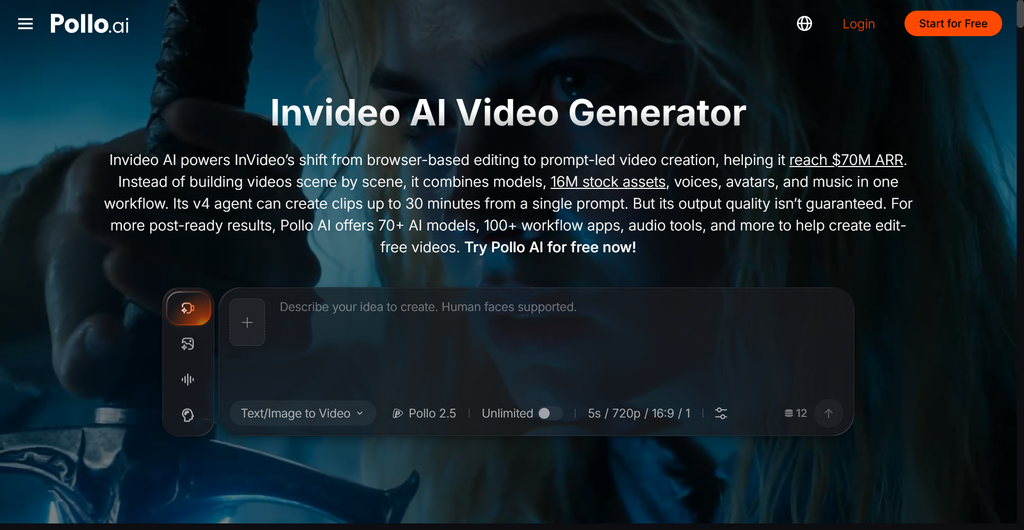
Another useful option in the Pollo AI ecosystem is InVideo AI. It is built around pre-set workflows, prompt-based editing, and visual templates, which makes it a good fit when a team wants a more structured starting point. Its workflow model is useful for explainers, ads, seasonal promos, and other content that needs to be publishable quickly.
That makes InVideo AI especially interesting for teams that want speed with a bit more guided structure. The platform supports prompt-based refinements, trendy visual effects, and faster iterations around a specific campaign idea. For smaller teams, that can be a very practical way to avoid long editing cycles while still producing something polished.
In a broad sense, Pollo AI and InVideo AI solve the same bottleneck from slightly different angles. Pollo AI works well when you want more creative control and a broader all-in-one content stack. InVideo AI works well when you want a fast, template-friendly starting point that gets you to a finished asset quickly. For software publishers, the best choice is usually the one that helps the story get out the door sooner.
A Simple Workflow That Keeps Output Moving
1. Start with the written asset
Take one strong article, release note, or tutorial and pull out the clearest message. If the piece is too broad, trim it before you generate anything. The better the focus, the better the video.
2. Generate the first pass quickly
Use the script or outline to create a first draft, then tighten the opening. A strong first few seconds matter more than overloading the clip with detail. For tech content, clarity beats spectacle.
3. Repurpose the same idea across channels
Once the video is ready, use it in more than one place. Embed it on the article page, share a shorter version on social, and use it in a newsletter or product update. That is where text-to-video starts to feel less like a novelty and more like a real publishing advantage.
The Bigger Shift for 2026
The teams that move best in 2026 will not just publish more articles. They will publish in more formats from the same research. That is the real value of text-to-video: it helps useful written content travel farther without demanding a bigger production team.

Leave a Reply