
Screen recording has become a mainstream digital activity, fueled by remote work, online learning, and the explosion of video content across platforms like YouTube, TikTok, and LinkedIn. Many popular recording tools offer robust features, but they can be overly complex or expensive for casual users. Swyshare Recordit stands out as a lightweight, affordable, and easy-to-use alternative that doesn’t sacrifice essential functionality. In this 2026 overview, we’ll break down everything you need to know about it.
Part 1: What Is Swyshare Recordit?
Recordit is a screen recording application developed by Swyshare, a software company focused on user-friendly media tools. Designed for both Windows (Windows 10 and newer) and macOS (macOS 11 and later), Recordit enables users to capture screen activity alongside audio and optional webcam footage. It also includes tools for annotations, screenshot capture, and exporting in multiple formats.
Unlike complex video editing suites, Recordit’s philosophy is to keep the interface minimal and approachable, allowing users to start capturing in just a few clicks. Whether a beginner or an experienced user, the experience is largely intuitive and requires very little setup.
Part 2: Main Features of Recordit
- Flexible Screen Recording – Record full screen, a specific window, or a custom-selected area.
- Audio Recording – Capture system sound, microphone audio, or both at the same time.
- Webcam Integration – Add a webcam overlay to screen recordings for presentations and tutorials.
- Instant Replay – Save recent screen activity to capture unexpected moments.
- Scheduled Recording – Automatically start and stop recordings at a preset time.
- On-Screen Annotations – Draw, highlight, and add mouse effects in real time while recording.
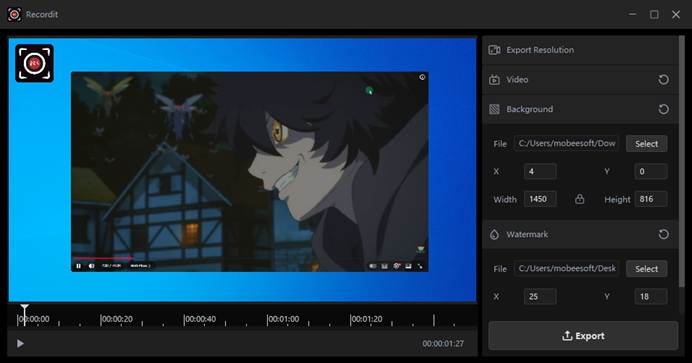
- Built-In Video Editor – Adjust the canvas or video, add backgrounds or watermarks after recording.
- Multiple Export Options – Export videos in MP4, AVI, GIF, or audio-only formats like MP3.
- Screenshot Capture – Take high-quality screenshots and save them as PNG or JPG.
Part 3: Who Is Recordit For?
Recordit’s audience is broad, spanning individuals and teams who need to record screen content without steep learning curves or high subscription costs. Typical users include:
- Students and educators capture lectures, presentations, and online classes to review later or share with classmates.
- Business professionals record meetings, product demos, reports, and training materials to improve communication or onboarding processes.
- Content creators and gamers use the software for tutorials, reaction videos, or gameplay highlights due to its support for webcam overlays and multiple formats.
- Remote workers and tech support personnel document bugs or workflows for asynchronous collaboration.
Part 4: How to Use Recordit to Capture Screen Content?
Step 1: Download and Install Recordit
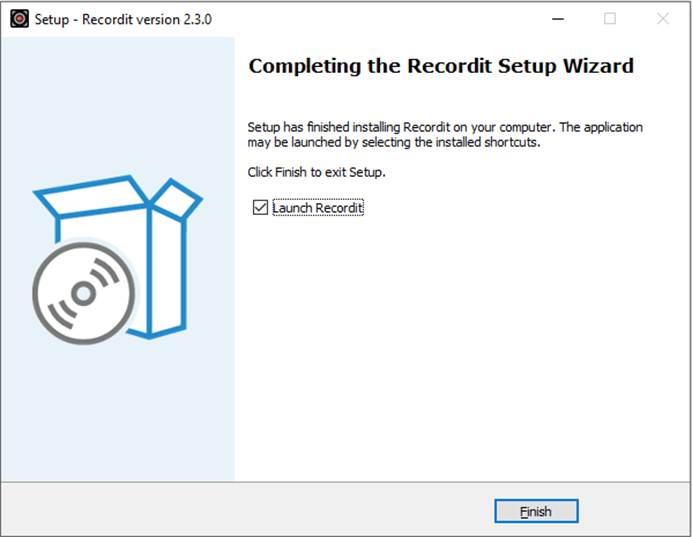
Visit the official Swyshare Recordit website, download the version for Windows or macOS, and complete the installation by following the on-screen instructions.
Step 2: Launch Recordit and set options for your recording:
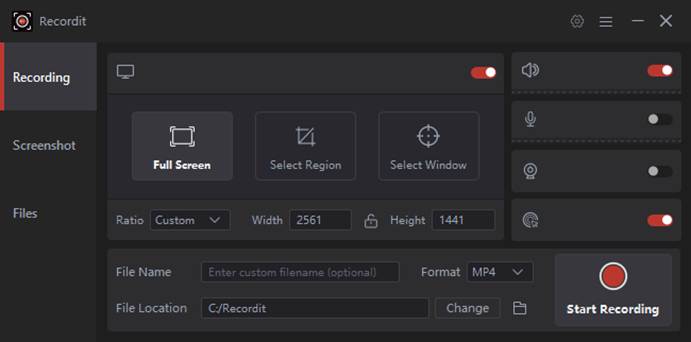
- Choose area you want to capture
- Configure audio settings (Enable system audio, microphone input, or both)
- Enable Webcam (Optional)
- Adjust recording preferences such as resolution, frame rate, output format, or enable features like instant replay or scheduled recording if needed.
Step 3: Start Recording
Click the Start Recording button. Recordit will begin capturing your screen activity based on your selected settings.
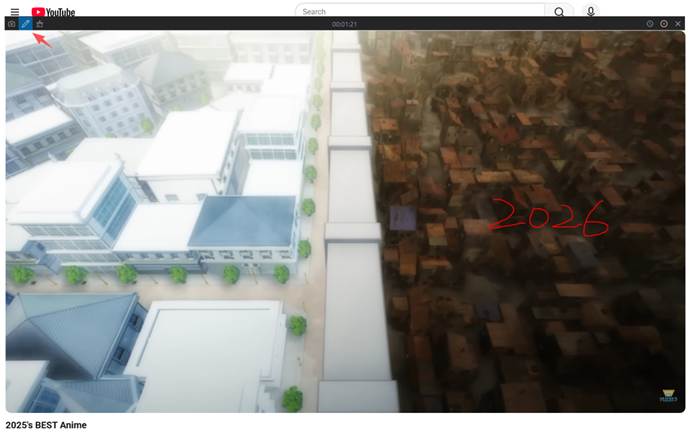
Step 4: Use Annotation Tools During Recording
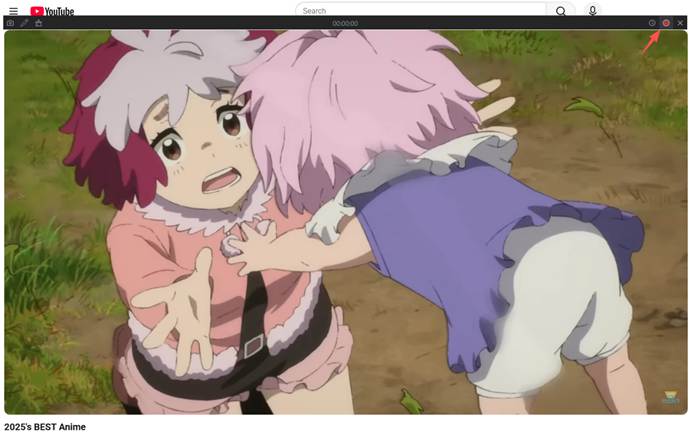
While recording, you can draw, highlight, or apply mouse effects to emphasize important areas on the screen.
Step 5: Stop and Preview the Recording
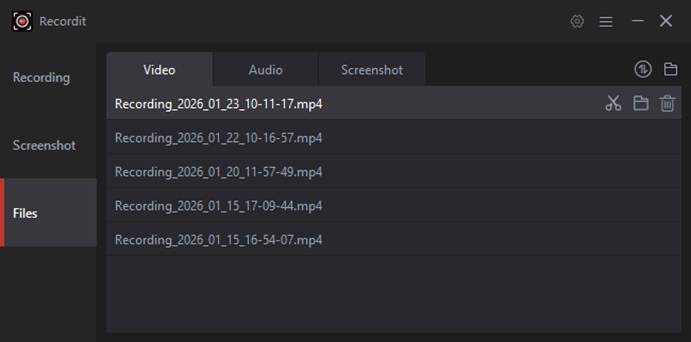
Click Stop when finished. The recorded video will appear in Recordit’s file list for preview.
Step 6: Edit and Export
Use the built-in editor to adjust the canvas, or add backgrounds or watermarks. Export the final video in formats such as MP4, AVI, GIF, or MP3.
Part 5: Pricing & Licensing Options
Recordit aims to be affordable compared with many high-end screen recorders. Its pricing options include:
| Plan Type | Features |
| 1-Month Plan | $9.95/month, automatic renewal, 1 device, free updates |
| 1-Year Plan | $19.95/year, automatic renewal, 1 device, free updates |
| Lifetime Plan | $29.95 one-time purchase, 1 device, free updates |
| Family Plan | $39.95 one-time purchase, up to 5 devices, free updates |
Part 6: FAQs
1) Is Swyshare Recordit free to use?
Yes. Swyshare Recordit offers a free trial that allows users to record up to 10 minutes of video for free.
2) Does Recordit add watermarks to recordings?
Watermarks are typically applied in the trial version. Once you purchase any paid plan, recordings can be exported without watermarks.
3) Can Recordit record streaming videos and online meetings?
Yes. Recordit can capture streaming content, webinars, video calls, and online meetings as long as the content is playing on your screen.
4) Does Recordit affect system performance?
Recordit is designed to be lightweight and runs smoothly on most modern Windows and macOS systems without causing noticeable lag during recording.
5) Does Recordit receive updates after purchase?
Yes. All paid plans include free updates, ensuring access to the latest features and improvements.
Part 7: Conclusion
In 2026, Swyshare Recordit continues to stand out as a practical and budget-friendly screen recording solution for users who value simplicity and efficiency. It delivers all the essential tools—flexible screen capture, audio and webcam recording, instant replay, scheduled recording, annotations, and built-in editing—without overwhelming users with complex workflows.
While it may not replace advanced professional tools like OBS Studio or Camtasia for high-end production, Recordit excels as an easy-to-use, lightweight, and affordable option for everyday recording tasks. Students, educators, business professionals, content creators, and remote workers can all benefit from its streamlined design and competitive pricing.
If you’re looking for a screen recorder that balances functionality, ease of use, and cost, Swyshare Recordit is a solid choice in 2026—especially for users who want reliable results without a steep learning curve.

Leave a Reply