
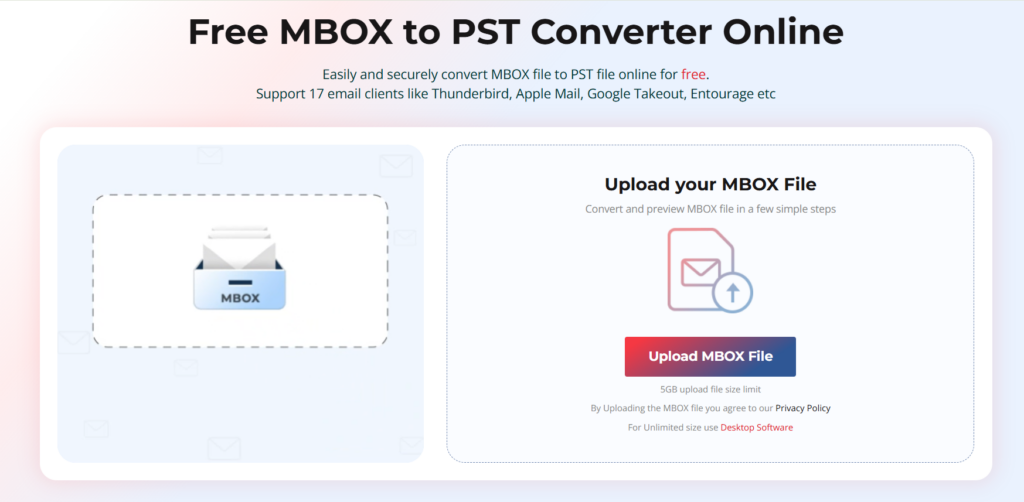
Email migration can quickly become complicated when you’re moving between different email platforms. Many email clients, including Mozilla Thunderbird, Apple Mail, Eudora, Entourage, and several Linux-based mail applications, store mailbox data in the MBOX format. The challenge begins when users need to access those emails in Microsoft Outlook, which relies on PST files.
I recently tested Stellar Converter for MBOX, an online MBOX to PST conversion service designed to simplify this process without requiring any software installation. Instead of downloading a desktop application, users can upload their MBOX files through a web browser, convert them online, preview the results, and download an Outlook-compatible PST file.
In this review, I’ll walk through my experience using the service, evaluate its performance, highlight its strengths and limitations, and explain whether it’s worth considering for email migration projects.
Who Should Use Stellar Converter for MBOX?
After testing the service, I found it particularly useful for:
- Thunderbird users migrating to Microsoft Outlook
- Mac users moving from Apple Mail to Outlook
- IT administrators handling mailbox migrations
- Businesses consolidating email platforms
- Users who need a quick one-time conversion without installing software
- Remote workers using shared or restricted computers where software installation isn’t possible
The browser-based approach makes it especially attractive for users who want a simple conversion process without dealing with downloads or system compatibility issues.
Getting Started
One of the first things I noticed was how straightforward the service is to access.
Unlike traditional conversion tools that require installation, configuration, and system permissions, Stellar Converter for MBOX runs entirely through a web browser.
To begin, I simply opened the service page, selected my MBOX file, and started the conversion process. There were no installation steps, license activation procedures, or compatibility checks.
First Impressions
The interface felt clean and focused.
Instead of overwhelming users with technical options, the service presents a simple workflow:
- Upload MBOX file
- Start conversion
- Preview converted content
- Download PST file
For users unfamiliar with email migration tools, this simplicity is a major advantage.
Step-by-Step Walkthrough
Step 1: Uploading the MBOX File
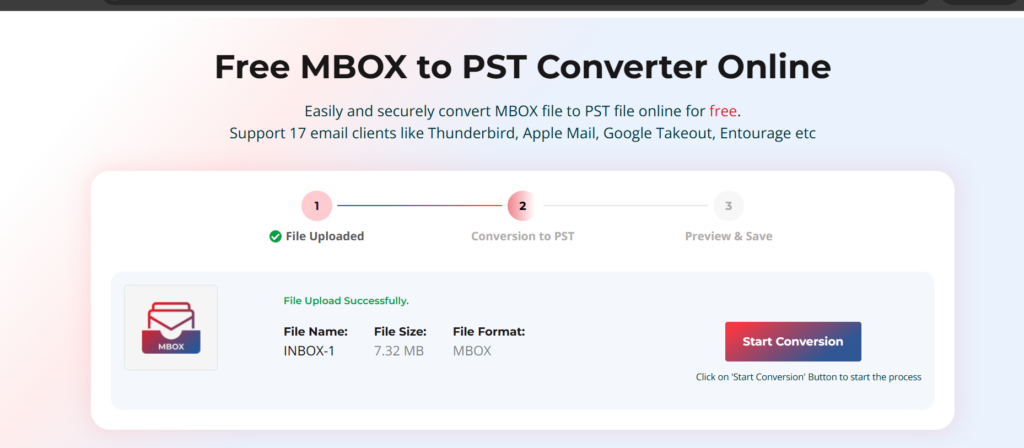
I started by uploading an MBOX file exported from Thunderbird.
The upload process was straightforward. The system quickly recognized the file format and prepared it for conversion.
What I liked:
- No manual configuration required
- Automatic file recognition
- Clear upload progress indicator
- Browser-based operation
Step 2: Starting the Conversion
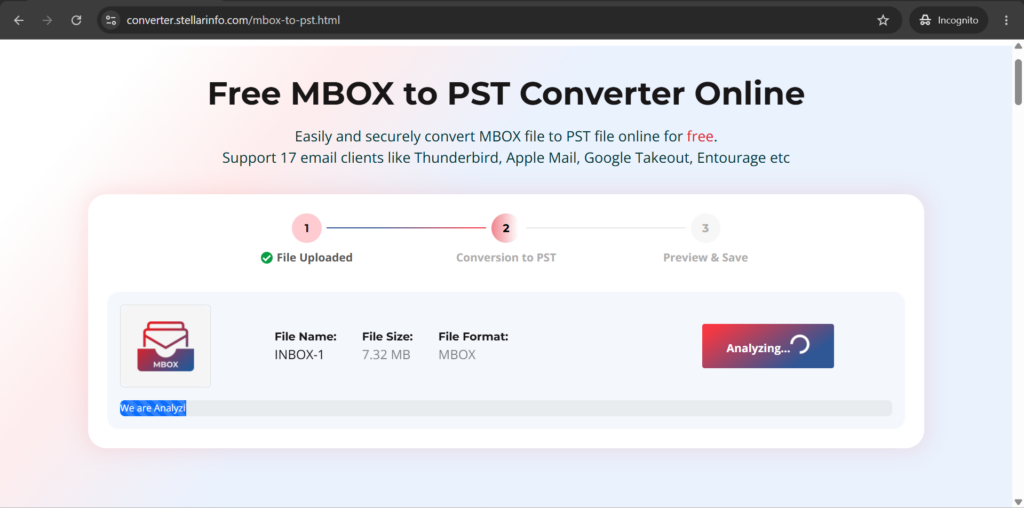
After the upload completed, I initiated the conversion process.
The service immediately began analyzing the mailbox structure and processing email data.
The conversion engine appeared to preserve:
- Folder hierarchy
- Email metadata
- Sender information
- Recipient details
- Attachments
- Date and time stamps
The process required minimal user interaction.
Step 3: Previewing Converted Emails
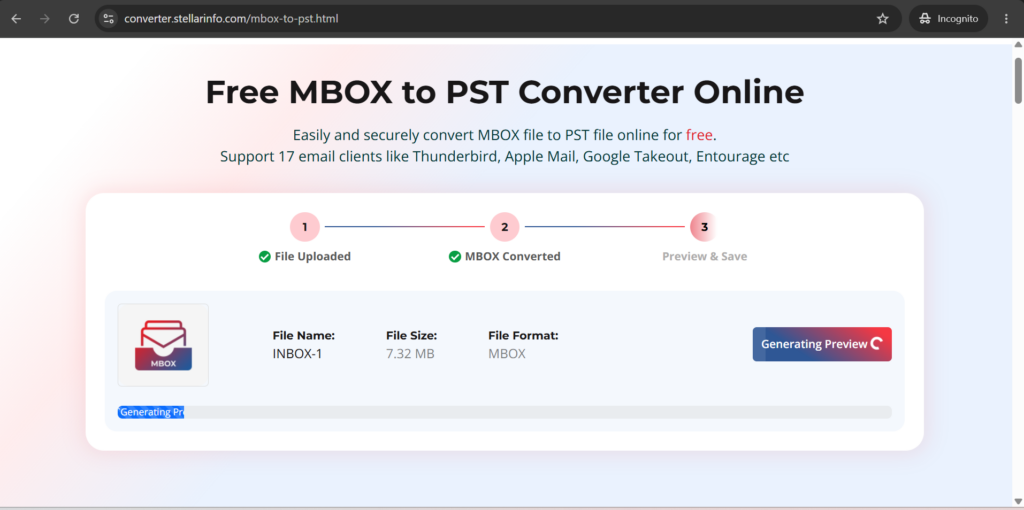
One feature that stood out during testing was the preview functionality.
Before downloading the PST file, I could browse through converted mailbox content and verify the results.
The preview displayed:
- Inbox messages
- Sent items
- Custom folders
- Email subjects
- Message content
- Attachments
This extra verification step is valuable because it allows users to confirm conversion accuracy before downloading the final PST.
Step 4: Downloading the PST File
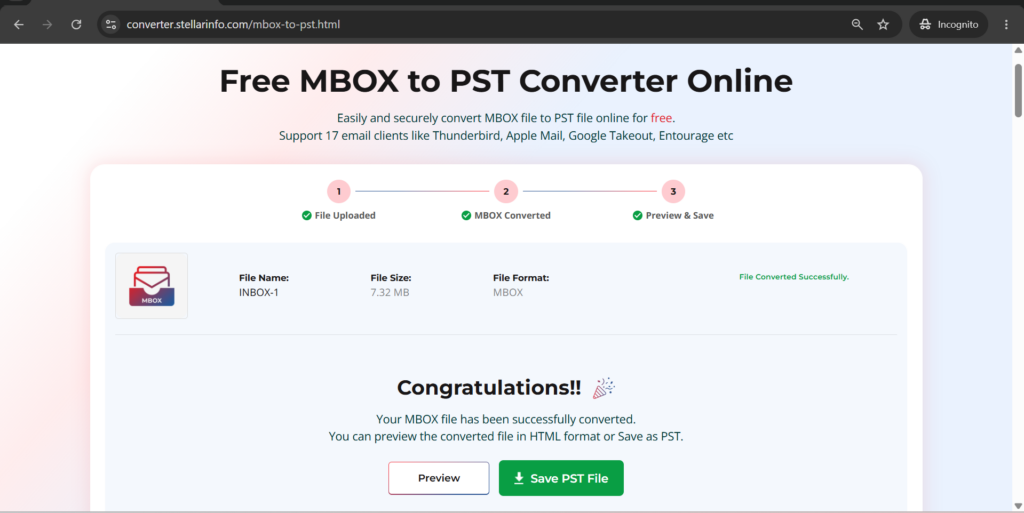
Once I verified the converted data, I downloaded the generated PST file.
The download process was quick, and the resulting PST imported into Outlook without any issues during my testing.
After opening the PST in Outlook, I checked:
- Folder structure
- Email formatting
- Attachments
- Message dates
- Contact information
Everything appeared intact and properly organized.
Key Features That Stood Out
1. Completely Online Conversion
The biggest advantage is that everything happens in the browser.
There’s no software installation, making it convenient for users working on managed computers or devices with installation restrictions.
2. Support for Multiple MBOX Email Clients
The service supports MBOX files generated by various email applications, including:
- Mozilla Thunderbird
- Apple Mail
- Eudora
- Entourage
- SeaMonkey
- Spicebird
- Opera Mail
This broad compatibility increases its usefulness for migration projects.
3. Preview Before Download
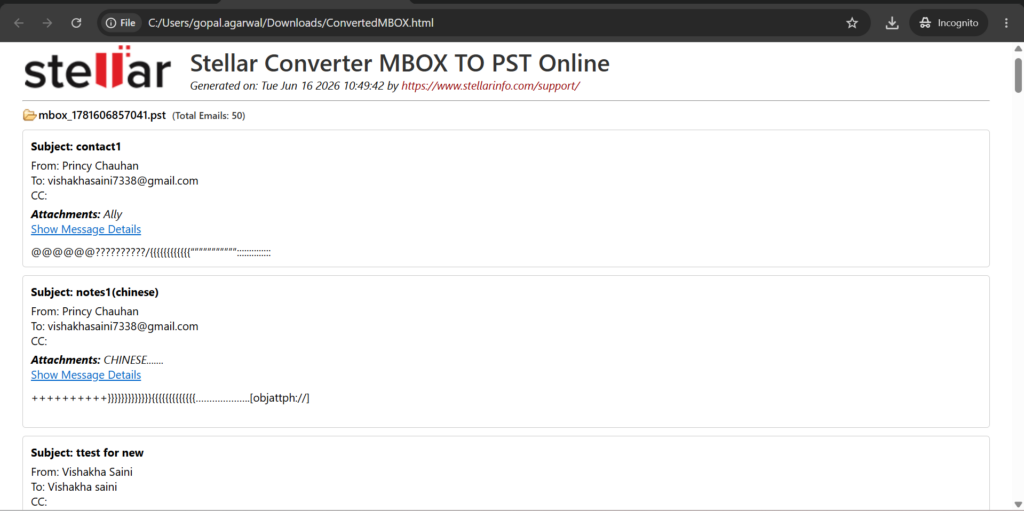
Many conversion tools simply generate a file and leave users hoping everything converted correctly.
The preview option provides confidence by allowing users to inspect converted mailbox content before downloading. Also you can click on the Show Message Details option to read the complete message on the particular email items.
4. Preservation of Folder Structure
During testing, mailbox folders remained organized exactly as they appeared in the original MBOX file.
This is important for users with years of archived email data.
5. Attachment Retention
Attachments remained associated with their original messages after conversion.
This helps maintain mailbox integrity and prevents data loss.
6. Metadata Preservation
The service retained:
- Sender information
- Recipient details
- Subject lines
- Time stamps
- Read/unread status
Maintaining metadata is essential during professional email migrations.
Performance and Reliability
Conversion Speed
My test conversion completed relatively quickly.
Actual speed will naturally vary depending on:
- Mailbox size
- Number of emails
- Internet connection speed
- Attachment volume
For small to medium-sized mailboxes, performance was smooth and responsive.
Stability
I didn’t encounter:
- Browser crashes
- Conversion failures
- Corrupted output files
- Missing folder structures
The service remained stable throughout testing.
Data Accuracy
The most important metric for any conversion tool is data accuracy.
In my testing, the resulting PST maintained:
- Email content
- Folder organization
- Attachments
- Metadata
I did not observe any obvious formatting issues or missing messages.
Pros and Cons
| Pros | Cons |
|---|---|
| Fully browser-based; no software installation required | Requires a stable internet connection |
| Simple and beginner-friendly interface | Upload time depends on MBOX file size |
| Supports MBOX files from Thunderbird, Apple Mail, Eudora, SeaMonkey, Opera Mail, and more | Large mailbox files may take longer to process |
| Preview emails before downloading the PST file | Limited advanced customization options compared to desktop migration tools |
| Preserves folder hierarchy during conversion | Not ideal for organizations requiring bulk automated migrations |
| Maintains email metadata, including sender, recipient, date, and subject information | Browser upload limits may vary depending on service plan |
| Converts attachments along with email messages | Performance may depend on network speed |
| No technical expertise required | Online processing may not suit users with strict offline-only policies |
| Convenient for one-time migrations | Enterprise-level migration features are limited |
| Generates Outlook-compatible PST files that import smoothly | Pricing may not be economical for frequent conversions |
Pricing and Access
Stellar Converter for MBOX operates as an online service rather than a traditional downloadable application.
Users typically upload their MBOX file, perform the conversion, and download the resulting PST file through the web interface.
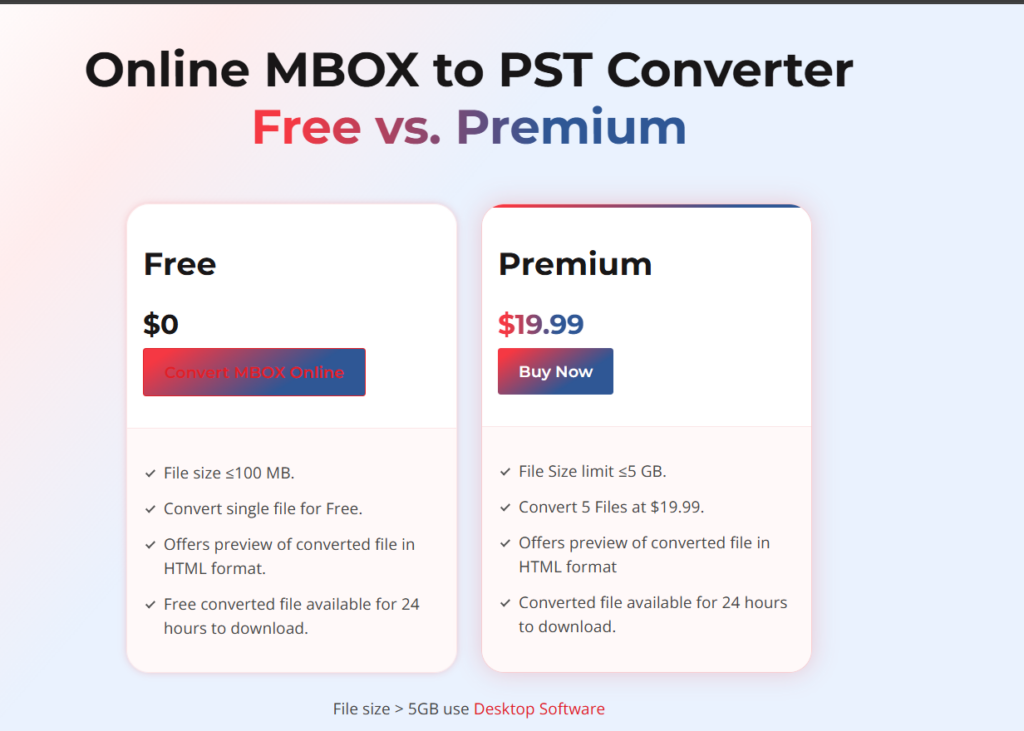
Because pricing structures can change over time, I recommend checking the official Stellar website for the latest plans, conversion limits, and licensing details before starting a migration project.
For occasional users, the online approach may be more convenient than purchasing and installing a full desktop migration suite.
Final Verdict
After spending time with Stellar Converter for MBOX, I found it to be a practical solution for users who need a straightforward way to convert MBOX files into Outlook PST format.
The service focuses on simplicity rather than complexity, making it accessible even for users with limited technical experience. The browser-based workflow eliminates installation hassles, while the preview feature adds an extra layer of confidence before downloading converted data.
What impressed me most was the preservation of mailbox structure, attachments, and email metadata throughout the conversion process. The ability to complete the entire migration from a web browser makes the service particularly attractive for quick migrations and remote work environments.
Overall Rating Table
| Category | Rating (Out of 5) | Comments |
|---|---|---|
| Ease of Use | ⭐⭐⭐⭐⭐ (5/5) | Extremely simple workflow with no installation required |
| User Interface | ⭐⭐⭐⭐⭐ (5/5) | Clean and intuitive browser-based interface |
| Conversion Accuracy | ⭐⭐⭐⭐½ (4.5/5) | Preserved emails, folders, attachments, and metadata accurately |
| Conversion Speed | ⭐⭐⭐⭐½ (4.5/5) | Fast for small and medium mailboxes; larger files take longer |
| Feature Set | ⭐⭐⭐⭐½ (4.5/5) | Preview option and broad MBOX support add significant value |
| Reliability | ⭐⭐⭐⭐½ (4.5/5) | Stable conversion process with consistent output quality |
| Value for Money | ⭐⭐⭐⭐½ (4.5/5) | Good option for users seeking a quick online conversion solution |
| Overall Experience | ⭐⭐⭐⭐½ (4.5/5) | Convenient, reliable, and user-friendly for MBOX-to-PST migration |
| Overall Rating | Score |
|---|---|
| ⭐⭐⭐⭐½ | 4.5/5 |
Summary: Stellar Converter for MBOX delivers a straightforward and reliable online solution for converting MBOX files into Outlook PST format. Its browser-based workflow, email preview functionality, and accurate data preservation make it particularly suitable for Thunderbird and Apple Mail users transitioning to Microsoft Outlook.
You can check their Desktop edition review by clicking this link.

Leave a Reply