
Like many Windows users, I’ve dealt with a PC that felt slower every month. The program took longer to open, random pop-ups appeared, and uninstalling apps from Windows often left behind stubborn files. That is why I decided to try IObit Uninstaller and see whether it could make my computer feel faster. In this review, I’ll share my honest experience using the tool, including how it removed unwanted software, cleaned leftovers, and whether the performance improvement was noticeable or just another overhyped PC cleaning claim.
Part 1: What is IObit Uninstaller?
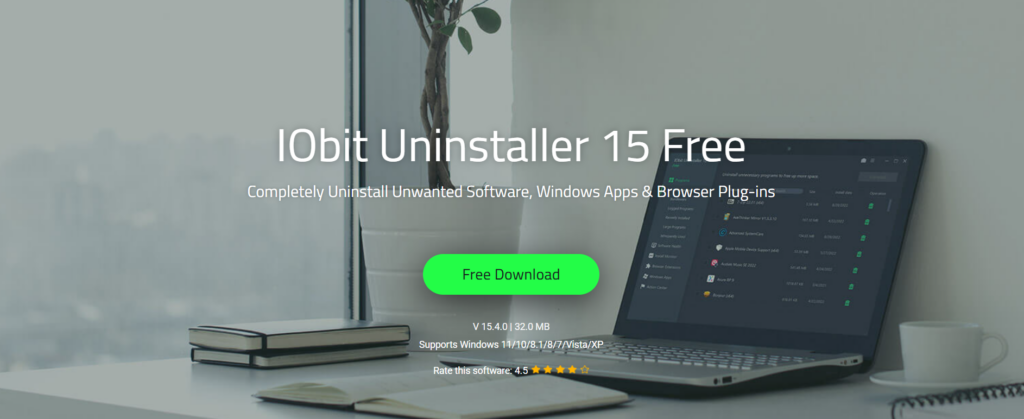
IObit Uninstaller is an amazing tool designed for software uninstallation, providing an easy and secure method to eliminate unwanted programs with a single click — no technical skills required. Unlike the default Windows uninstaller, which requires users to remove apps one by one and leaves behind leftover files, folders, registry entries, and hidden traces, IObit Uninstaller makes the process much easier and cleaner. One of the standout features of this program is that it automatically detects and removes stubborn software that refuses to uninstall via Windows settings. Another thing that I liked about this program is that it offers an intuitive interface, allowing beginner users like me to operate and navigate through settings without professional help.
Part 2: Key Features of IObit Uninstaller
Once I started using this program, I realized that it comes packed with several useful features. Here are the top features that I personally liked about this program:
- One-Click Uninstallation: The feature I liked the most about this program is the one-click uninstallation. With the help of this tool, users can eliminate unwanted programs with a single click. This made the complete process easier, especially for a beginner like me.
- Real-Time Install Monitor: The Install Monitor offers a secure way to log program installations, tracking startup items, system services, scheduled tasks, DLL registration, and other components created during the installation process. Later, when I decide to uninstall that software, IObit Uninstaller can use these logs to remove the program completely.
- Intelligent Software Health: The program also comes with an Intelligent Software Health feature that helps users check the overall condition of the installed program. With the help of this feature, I was able to detect issues like outdated software, leftover files, invalid shortcuts, unnecessary installation packages, and more.
- Intuitive Interface: One of the most amazing parts of this program is that it offers an easy-to-use interface, making it simple for beginners to uninstall unwanted programs without confusion. When I first opened the program, I noticed that everything was clearly organized, making the process much easier for me.
- Stubborn Program Remover: With support for removing over 4,000 stubborn programs, the Stubborn Program Remover ensures every associated file, registry entry, and leftover component is completely erased.
Part 3: How to Uninstall Programs With IObit Uninstaller in 2026?
As I have mentioned earlier, the process of uninstalling programs with IObit Uninstaller is simple. Here is how to do it:
- First, I downloaded the latest version of the program on my PC. To download the program, go to its official site and click on the “Download” button. Once installed, launch it and select the “Programs” option from the left panel.
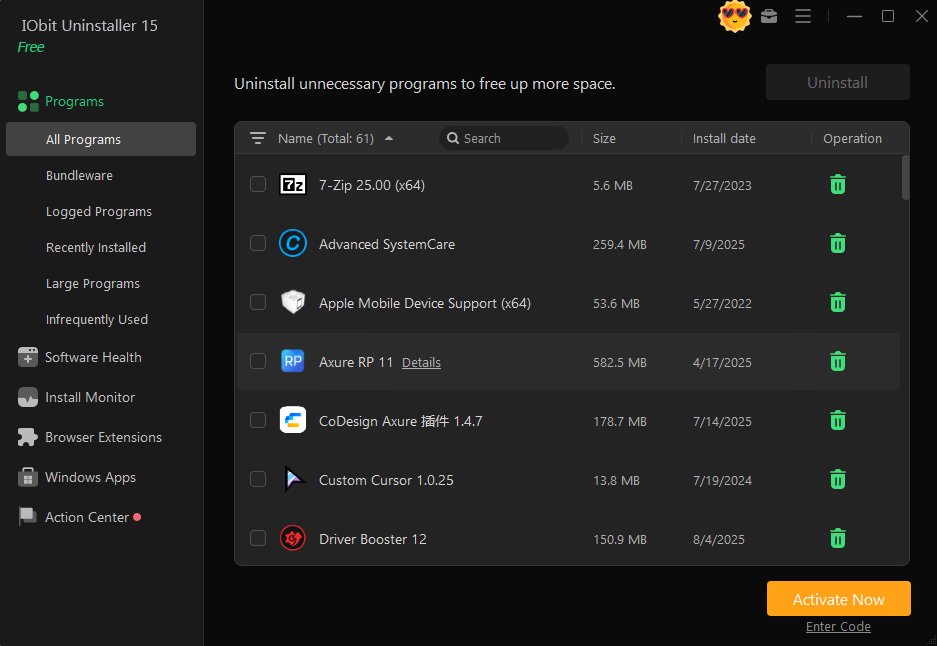
- Find the program you want to uninstall and select it. Users can uninstall multiple programs at the same time. Next, click on the “Uninstall” button available in the upper-right corner to begin the process.
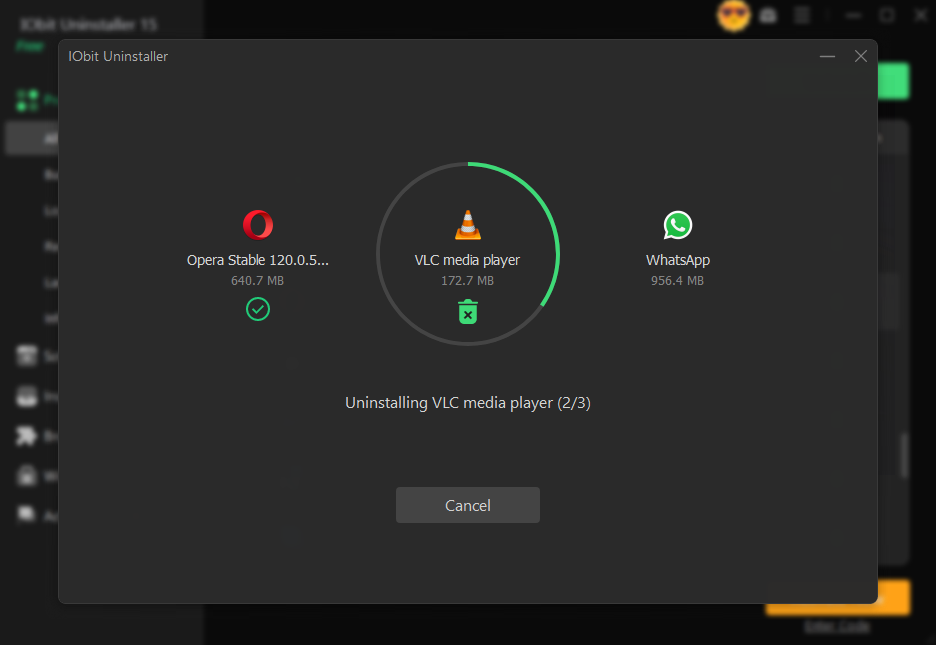
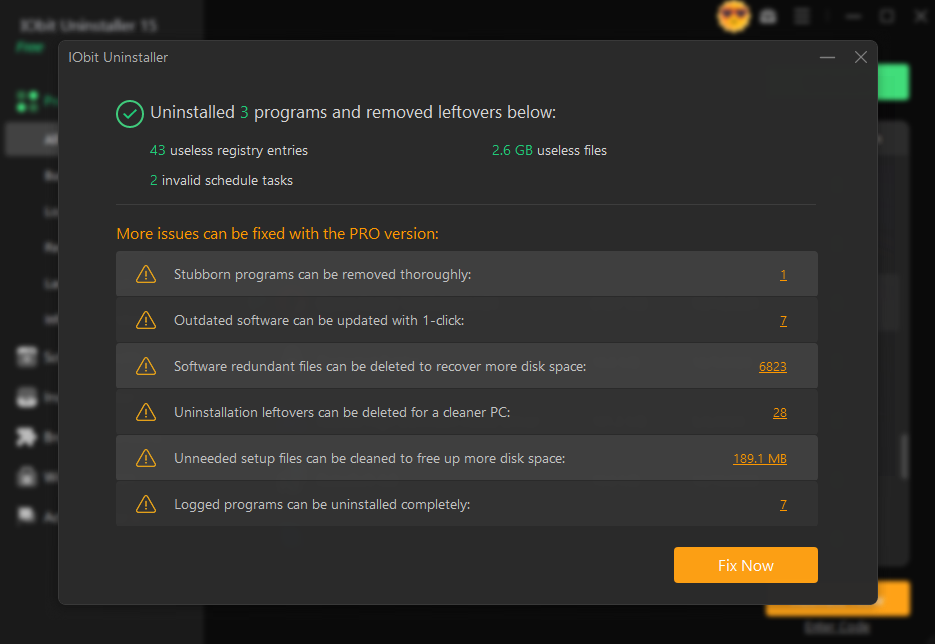
- After that, IObit Uninstaller will start removing the selected program from the computer. Within seconds, the selected program will be completely removed from your PC, including leftover files, shortcuts, and registry traces.
Part 4: Did IObit Uninstaller Really Make My PC Faster?
Yes, IObit Uninstaller makes my PC faster and smoother. Once I removed multiple unwanted programs, browser extensions, and leftover files, I noticed that my system felt lighter and more organized. Before using the tool, my PC had several apps that I no longer used, and some of them were taking up storage space. After uninstalling them, the performance of my PC became much faster and smoother. If your PC is running slowly, then I recommend using IObit Uninstaller.
Final Thoughts
After using IObit Uninstaller, I can say that it is a useful tool for anyone who wants to remove unwanted programs and clean leftover files. With this uninstaller for Windows, anyone can uninstall unwanted programs with a single click — without any professional help. The best part about this program is that it offers an intuitive interface, which is ideal for non-tech and beginner users.

Leave a Reply