
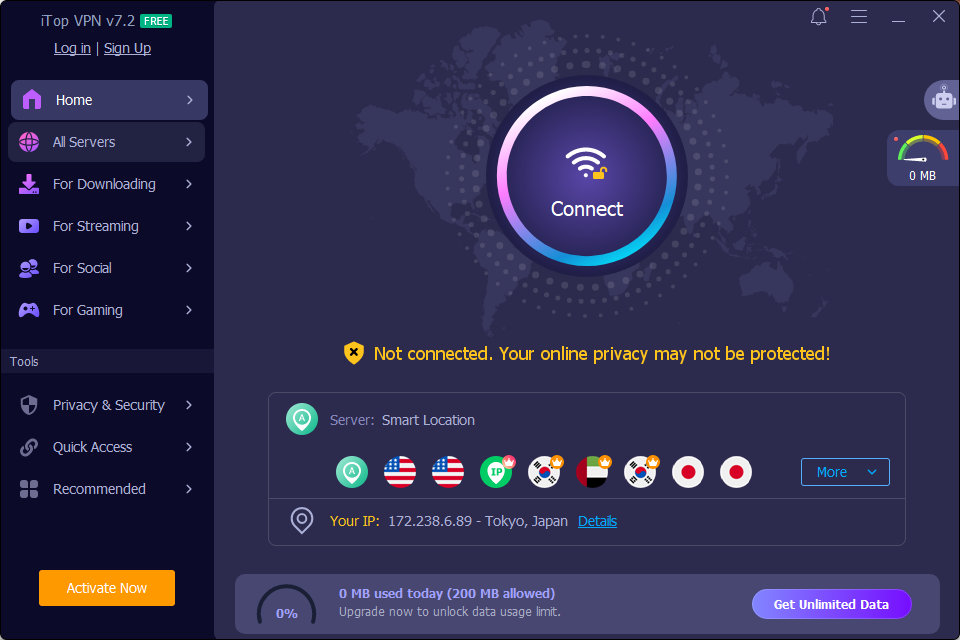
Working from home sounds easy. You wake up, make coffee, and turn on your laptop. But many people overlook one big problem. Your home Wi-Fi is not as safe as your office network. Hackers know this too. That is why remote workers need a strong security plan, and a good VPN sits at the top of that list.
Why Remote Work Needs Extra Protection
When you work in an office, your company usually has firewalls, IT staff, and secure networks watching over your data. At home, none of that exists. You might connect to public Wi-Fi at a restaurant or use a router that has not been updated recently. This makes it much easier for someone to steal your passwords, files, or client information.
This is where iTop VPN comes in. A VPN hides your real IP address and encrypts your internet traffic. This means even if someone tries to spy on your connection, they only see scrambled data they cannot read.
Features That Make Remote Work More Secure
iTop VPN comes packed with tools built to keep remote workers safer and more in control of their connection:
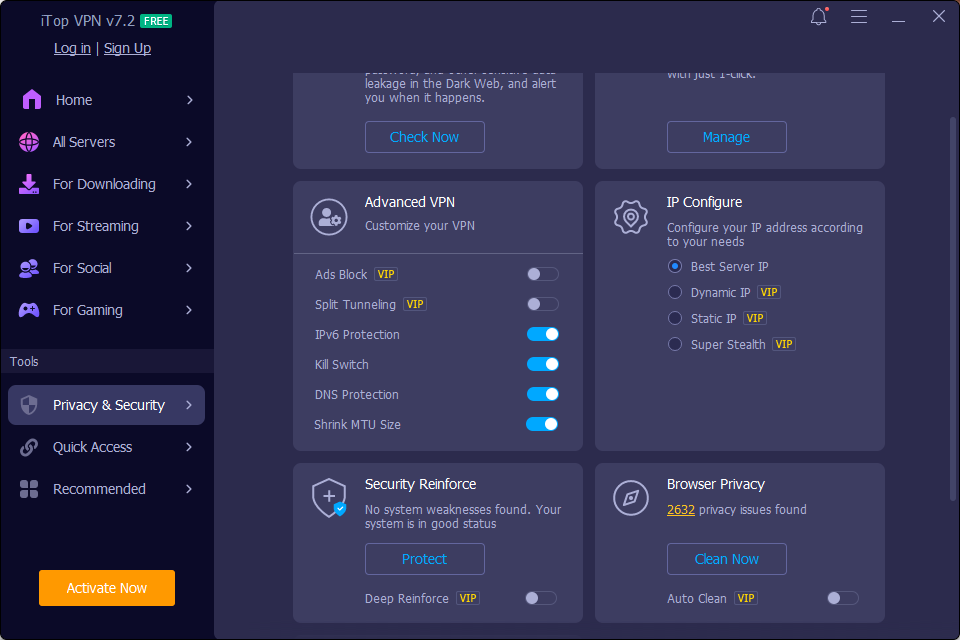
- Kill Switch: Cuts off the selected app’s internet access right away if your VPN connection drops, so your real IP doesn’t get exposed by accident.
- Split Tunneling: Lets you pick which apps run through the encrypted VPN tunnel and which ones stay on your regular connection.
- Double VPN: Sends your traffic through two separate VPN servers and encrypts it twice, adding a second layer of protection on top of the standard connection.
- Dark Web Monitor: Keeps an eye on your personal data and warns you if it turns up somewhere it shouldn’t, like a data leak or breach.
- Password Generator: Builds strong, random passwords in a single click, so you’re not stuck reusing the same weak one across accounts.
- Security Reinforce: Checks your system for weak points and helps you close the gaps before they turn into real problems.
- Browser Privacy: Flags privacy risks in your browser and clears out data that could otherwise give away your online activity.
- 8 Devices Per Account: One premium account covers up to eight devices at once, handy if you’re switching between a laptop, phone, and tablet throughout the day.
Put together, these features give remote workers a lot more say over how their connection, privacy, and daily security actually work.
How to use iTop VPN
Here are three steps for using iTop VPN.
Step 1: Download and Install iTop VPN
Visit the official iTop VPN website or open your device’s app store. Download the app for your platform (Windows, macOS, iOS, or Android) and follow the installation prompts to set it up.
Step 2: Select a Server Location
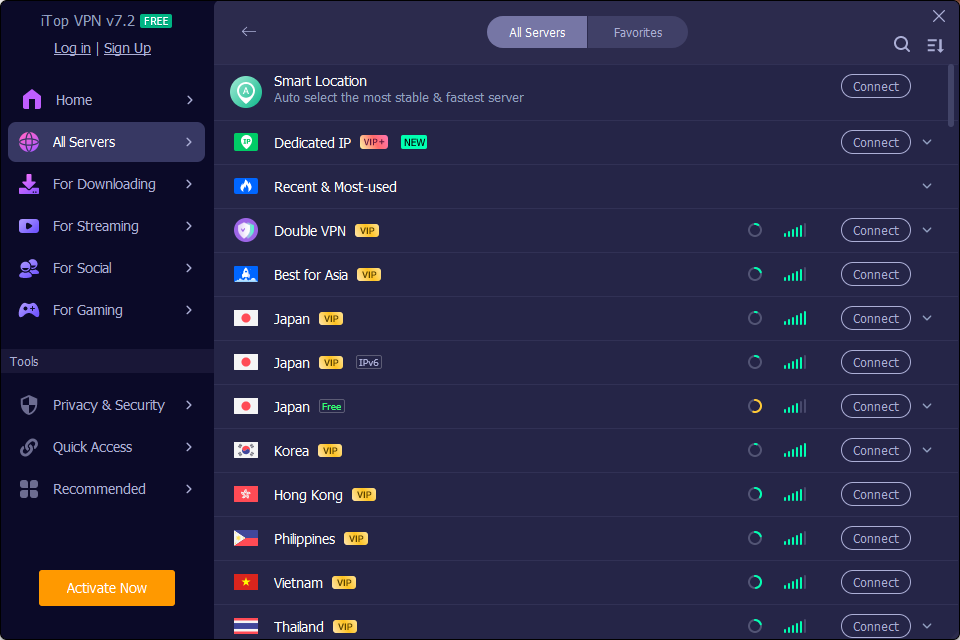
Launch the app. By default, it selects Smart Location for the fastest speeds. Over 3,200 VPN servers in more than 100 locations are available for users to choose from.
Step 3: Connect to the VPN
Click or tap the large Connect button in the center of the main dashboard. Once the status toggles to Connected, your network traffic is encrypted, and your real IP address is hidden.
The Good Side of Using iTop VPN
This tool offers a lot for remote workers:
- Military-grade encryption: Keeps your files and messages private, so your work data stays protected from prying eyes.
- Thousands of servers worldwide: Useful if you work with international clients or need to check how a website looks in another country.
- Kill Switch protection: Blocks your internet traffic instantly if your VPN connection drops, so your real IP address doesn’t get exposed by accident. This matters a lot when you’re handling sensitive work files.
The Not So Good Side
No tool is perfect, and it is fair to mention the downsides too:
- Free plan limits: Slower speeds and fewer server choices are common on free VPN plans, so a paid upgrade may be needed if your job depends on fast, steady internet.
- Doesn’t replace good habits: A VPN protects your connection, but it won’t stop you from clicking a phishing link or opening a suspicious attachment.
- One layer, not the whole shield: Think of it as part of your security setup, not a replacement for staying careful online.
Building a Safer Remote Work Routine
Security isn’t about a single tool. It is about combining small habits that add up over time. Turning on your VPN, using strong passwords, updating your apps, and staying careful on public networks all work together to keep your work life safe.
Freedom goes hand in hand with responsibility, and in remote work, that’s what we should focus on. Taking a few extra minutes each day to protect your connection can save you from a much bigger headache down the road, like a data breach or stolen client files.
Final Thoughts
If you work outside a traditional office, your internet connection is your lifeline. Protecting it should not be an afterthought. Tools like iTop VPN give remote workers a simple way to add real protection without needing to be a tech expert. Pair that with smart daily habits, and you have a security checklist that actually works.

Leave a Reply