
You remember at 11 p.m. that your friend has a big exam tomorrow. You want to wish them luck, but you do not want to wake them up with a buzz, and you know you will forget by morning. So you type the message, stare at it, and leave it sitting in the box.
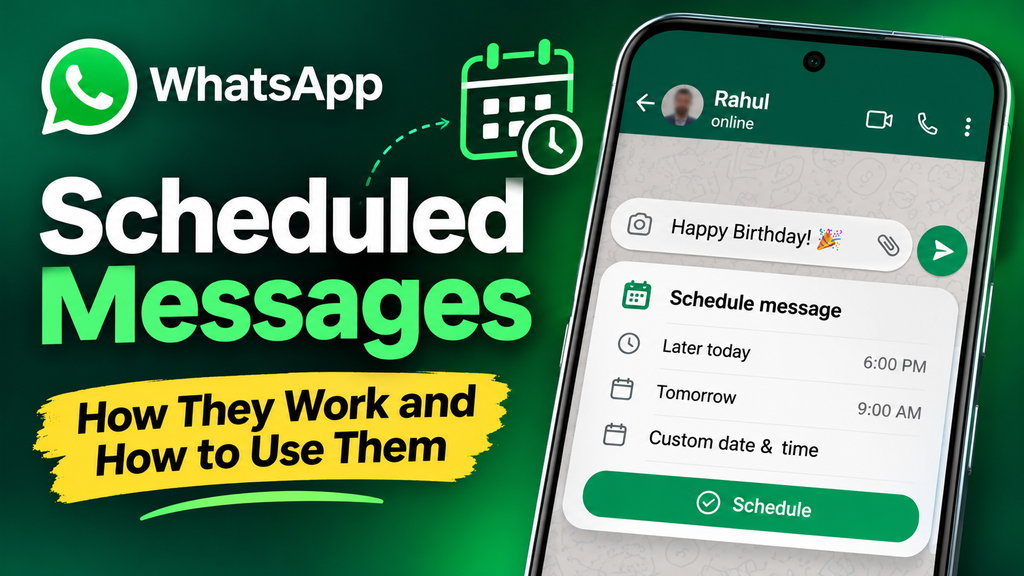
WhatsApp is about to fix that. On November 26, the company announced scheduled messages, a long-requested feature that lets you write a message now and choose when it is delivered. It is rolling out in the coming weeks to iPhone and Android users, so it may not appear on your phone immediately.
Here is what we know from the announcement, how to use the feature once you have it, and practical tips to make it genuinely useful rather than just a novelty. We will also cover a few other recent WhatsApp changes worth checking.
What Are WhatsApp Scheduled Messages?
Scheduled messages let you compose a message and set a future date and time for it to be sent automatically. When the time arrives, it lands in the chat like any normal message. According to reporting on the announcement, the recipient will not see any sign that it was scheduled.
WhatsApp described the idea simply: some messages are better sent a little later. Its examples include a good-luck note the night before an exam and a birthday greeting that lands at midnight in your friend’s time zone rather than yours.
Key Details From the Announcement
- Scheduling window: You can schedule a message anywhere from about 10 minutes ahead to up to 14 days in the future.
- Works with media: The feature supports text, photos, and videos.
- Your phone can be off: Scheduled messages are delivered at the chosen time even if your phone is switched off or out of battery.
- Encryption stays on: In personal chats, scheduled messages remain end-to-end encrypted, so no one else, including WhatsApp, can read them.
- Manage your queue: You can view a list of messages waiting to be sent and delete any you no longer want to go out.
Because the rollout is gradual, some details, such as menu names, may differ slightly on your device. WhatsApp had not given an exact release date at the time of the announcement.
How to Schedule a WhatsApp Message
Based on WhatsApp’s description, the process is meant to be quick.
- Update WhatsApp. Open the App Store or Google Play and install the latest version.
- Open a chat and type your message, or attach a photo or video.
- Press and hold the send button instead of tapping it.
- Choose a date and time from the options that appear.
- Confirm. WhatsApp holds the message and sends it at the scheduled time.
How to Review or Delete a Scheduled Message
WhatsApp says you can see a list of messages waiting to go out and remove the ones you no longer want to send. Look for a scheduled messages list in the chat or app menus once the feature reaches you. If you change your mind about a message, delete it from that list before the delivery time.
If You Do Not See the Option Yet
- Check for app updates in your store.
- Close and reopen WhatsApp.
- Wait a few days. Staged rollouts are normal, and not everyone gets a feature on the same day.
Smart Ways to Use Scheduled Messages
The feature is simple, but a few use cases make it especially handy.
Birthdays and Celebrations
Set a birthday message to arrive at 12:01 a.m. in the recipient’s time zone, even if you are asleep. The same works for anniversaries, festival greetings, and congratulations.
Messaging Across Time Zones
If you work with clients or family in another country, schedule messages so they arrive during their morning rather than the middle of their night. This is courteous and often gets a faster response.
Reminders and Follow-Ups
Schedule a polite nudge to a colleague about a deadline, or a reminder to a family member about an appointment. Write it when you think of it, and let WhatsApp deliver it at the right moment.
Late-Night Ideas Without Late-Night Pings
If inspiration strikes at 1 a.m., you can write the message and schedule it for 8 a.m. The recipient sleeps undisturbed, and you do not have to remember to send it.
Small Business and Customer Updates
Shop owners and freelancers can prepare order updates, appointment reminders, or opening-hours notices in advance. Note that WhatsApp’s announcement focused on personal chats, so check how the feature behaves in business accounts before relying on it.
Tips and Etiquette
A few habits will save you from awkward moments.
- Double-check the time zone. Confirm that the delivery time you pick is the one you intended, especially when scheduling for someone abroad.
- Avoid scheduling sensitive news. A tough conversation should not arrive on autopilot. Do not schedule anything that could be upsetting if circumstances change.
- Review the queue before big events. If plans shift, delete outdated scheduled messages so they do not arrive at the wrong moment.
- Do not let it replace real contact. A scheduled birthday message is nice, but a personal call or a quick personal reply afterward means more.
- Respect boundaries. Scheduling a message for working hours is kinder than sending a work request at midnight, even if you are the one working late.
Privacy and Security: What to Know
WhatsApp says scheduled messages in personal chats keep end-to-end encryption, which is a reassuring detail. A few practical points still apply:
- Your own phone or account could still be exposed. Use a screen lock, and enable two-step verification in Settings > Account > Two-step verification.
- Scheduled messages are not secret reminders. Anyone who can open your WhatsApp could potentially see the list of pending messages, so protect your device.
- Treat sensitive information with care. Do not schedule passwords, banking details, or private documents, just as you would avoid sending them casually.
Other Recent WhatsApp Changes Worth Checking
Scheduled messages are not the only update. WhatsApp has recently announced several tools aimed at making group chats easier to manage:
- Mentions and replies filter: A new button in the filter drawer, which appears when you swipe down on your chat list, helps you jump to messages where someone mentioned you or replied to you.
- Group status sharing: You can post a status update visible only to members of a specific group, and other members can react or add their own. These statuses disappear after 24 hours.
These features are also being released in stages, so check back after updating the app.
What If You Cannot Wait? Alternatives for Now
If you need to schedule messages today, a few options exist, though none are as seamless as a built-in feature.
- Use another messaging app that already supports scheduled sending, if your contact is on it as well.
- Set a phone reminder for the exact time and send the WhatsApp message yourself.
- Use your phone’s built-in tools, such as reminders or calendar alerts, to prompt you.
Be careful with third-party apps that promise to automate WhatsApp messages. Many require broad permissions or your account credentials and may violate WhatsApp’s terms, putting your account at risk.
Frequently Asked Questions
When will WhatsApp scheduled messages be available?
WhatsApp said the feature is rolling out over the coming weeks on iPhone and Android. There is no exact date, so update the app and check periodically.
How far ahead can I schedule a message?
According to reports on the announcement, from roughly 10 minutes ahead up to 14 days.
Will my message send if my phone is off?
Yes. WhatsApp says scheduled messages are delivered at the chosen time even if your phone is turned off or has run out of battery.
Will the other person know I scheduled it?
Reports say the message arrives like any other chat message and the recipient does not know it was scheduled.
Are scheduled messages encrypted?
In personal chats, yes. WhatsApp says they remain end-to-end encrypted.
Can I schedule photos and videos?
Yes. The feature supports text, photos, and videos, according to the announcement.
Can I cancel a scheduled message?
Yes. You can view pending messages and delete the ones you no longer want to send.
Conclusion
Scheduled messages solve a small but very real problem: the right message at the wrong time. Once the feature reaches your phone, a long-press on the send button will let you plan birthday greetings, time-zone-friendly updates, and gentle reminders without setting a single alarm. Update WhatsApp, keep an eye out for the new option, and use it thoughtfully, so your messages land at the perfect moment.