
If shopping for a laptop, phone, or graphics card has left you wincing at the price tag this year, you are not imagining it. The culprit sits inside nearly every gadget you own: memory.
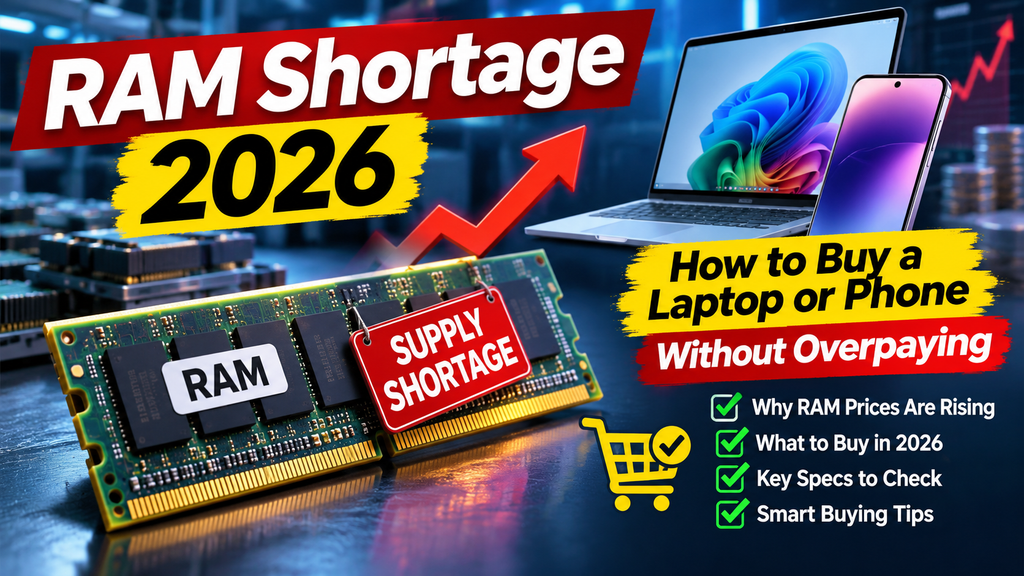
AI data centers are buying memory chips in enormous quantities, and manufacturers have shifted production toward the products those buyers want. According to an AFP report in August, TrendForce analyst Ellie Wang said memory prices for PCs and smartphones were up roughly five to six times compared with a year earlier. Analysts widely describe the squeeze as far from over, and forecasts have pointed to tight supply lasting through at least 2027.
That does not mean you must overpay. With a little planning, you can find a good deal, avoid paying for memory you do not need, and make your current devices last longer. This guide explains why the shortage is happening, how much RAM you really need, and exactly what to do before you buy.
Why Is RAM So Expensive Right Now?
RAM (random access memory) is the short-term memory your device uses to run apps. Storage chips, called NAND flash, are affected too.
Three forces are colliding:
- AI demand: Data centers that train and run AI models need huge amounts of high-end memory, and buyers there pay premium prices.
- Shifted production: Memory makers have moved capacity toward products for AI infrastructure, leaving less for everyday PCs and phones.
- Slow supply growth: Building new memory factories and packaging lines takes years, so supply cannot catch up quickly.
Because memory makes up a meaningful share of a device’s build cost, higher chip prices ripple outward. Budget phones and low-cost laptops feel it most, since their thin margins leave little room to absorb the increase. Manufacturers respond by raising prices, trimming specs, or both. Even small PC makers like Framework have announced multiple rounds of memory price hikes.
A word of caution: forecasts about how long the shortage lasts differ by source, so treat any specific end date as an estimate rather than a promise.
How Much RAM Do You Actually Need?
The urge to buy “as much as possible” is expensive in a shortage. Match the amount to how you use your device.
Laptops and Desktops
- 8 GB: Fine for basic browsing, email, streaming, and document work, though it can feel tight with many browser tabs.
- 16 GB: The sweet spot for most people, including students, office workers, and light photo editing.
- 32 GB: Worth it for heavy multitasking, 4K video editing, virtual machines, large datasets, or demanding creative software.
- 64 GB and up: Mainly for professionals running very heavy workloads.
Smartphones
Most people do well with 8 GB to 12 GB. Analysts expect tight supply to discourage manufacturers from raising RAM in future flagships, so do not assume next year’s model will be dramatically better in this respect. Mid-range and budget phones are the models most likely to see spec cuts or price increases.
Check What You Use Today
Before spending money, measure your real usage.
On Windows:
- Press Ctrl + Shift + Esc to open Task Manager.
- Click the Performance tab and select Memory.
- Watch the usage during your busiest work session. If it regularly sits near 90 percent or more, you may benefit from an upgrade.
On a Mac:
- Open Activity Monitor and click the Memory tab.
- Look at the Memory Pressure graph. Green is healthy, yellow suggests strain, and red means you are short on memory.
Smart Ways to Save When Buying
1. Buy Only the RAM You Need Now
Memory upgrades from manufacturers are often priced steeply. Choose the amount that matches your real usage rather than the maximum option.
2. Pick a Laptop With Upgradeable RAM
Some laptops have slots that let you add or replace memory later, while many thin models solder the RAM to the board. If you buy a model with accessible slots, you can start with a modest amount and upgrade when prices ease. Check the spec sheet or a teardown review before purchasing.
3. Consider Refurbished or Previous-Generation Models
A certified refurbished laptop or last year’s model often delivers nearly the same everyday experience at a lower price. Make sure the seller offers a clear warranty and return policy.
4. Compare Total Price, Not Just Specs
A device with less RAM but a faster processor, better screen, or longer warranty may serve you better than one that spends its budget on memory alone.
5. Watch for Seasonal Sales, but Be Realistic
Black Friday and Cyber Monday can still produce genuine discounts, especially on older stock. Compare the price against recent history, since not every “deal” is a real saving. Do not wait indefinitely for a collapse in prices, because analysts do not expect rapid relief.
6. Use Trade-Ins and Student Discounts
Manufacturer and retailer trade-in programs can shave a meaningful amount off a new purchase. Education pricing can help too if you qualify.
Make Your Current Device Last Longer
The cheapest upgrade is the one you do not have to buy. If your device feels slow, try these fixes first.
- Close unused browser tabs. Browsers are among the biggest memory users. Consider a tab-suspending extension or your browser’s built-in memory saver mode.
- Trim startup apps. On Windows, open Task Manager and the Startup apps tab, then disable programs you do not need at boot. On a Mac, check System Settings > General > Login Items.
- Uninstall what you never use. Old apps often run background processes.
- Restart regularly. A restart clears memory leaks that build up over days.
- Keep software updated. Updates often include performance and memory improvements.
- Check storage space. A nearly full drive slows a system down, so free up space.
- Upgrade the drive instead. If your laptop feels slow and has a hard drive, moving to an SSD can improve responsiveness. Storage prices have also risen, so compare options.
- Add RAM only if your laptop supports it. If it has an open slot or replaceable modules, a compatible upgrade can be cost-effective. Always confirm the exact memory type and maximum supported size.
Special Case: Gamers and PC Builders
Desktop builders are exposed to retail memory prices directly. If you are planning a build:
- Buy a kit that matches your needs, usually 16 GB or 32 GB for gaming.
- Prioritize the graphics card and processor and fill in extra RAM later, since adding a kit is easy on a desktop.
- Check compatibility between your motherboard and memory type before ordering.
- Consider a prebuilt PC, since some system builders have stock bought earlier at lower prices, though they have also warned of coming increases.
Should You Buy Now or Wait?
There is no perfect answer, but a practical approach works for most people.
- Buy now if your current device is failing, slow enough to hurt your work, or no longer receiving security updates.
- Wait if your device works fine and you are chasing a small upgrade. Prices may stay high, but you lose nothing by holding on.
- Split the difference by buying a laptop with upgradeable memory and expanding later.
Frequently Asked Questions
Will RAM prices come down in 2027?
Nobody can say for sure. Several analyst forecasts point to tight supply lasting through at least 2027 because new memory capacity takes years to build. Treat any prediction as uncertain.
Is 8 GB of RAM enough in 2026?
For basic tasks, yes. For regular multitasking with many browser tabs and apps, 16 GB is a much more comfortable choice and will likely age better.
Are phones getting more expensive too?
Analysts expect rising memory costs to push up prices or force spec cuts, especially on budget and mid-range phones. High-end models may face smaller spec impacts but could still see higher prices.
Is it worth upgrading RAM in an older laptop?
Often yes, if the laptop has accessible memory slots and the rest of the system is still healthy. Confirm the compatible memory type first, and compare the cost against a replacement device.
Does more RAM make my computer faster?
Only if you are running out of it. If your system already has enough memory for your tasks, adding more will not noticeably speed it up.
Conclusion
The memory shortage is a real squeeze, but it is manageable. Measure how much RAM you actually use, buy only what you need, choose upgradeable hardware when possible, and look at refurbished or last-generation models. Before you spend a cent, try the free fixes that make your current device faster. A little patience and planning can keep you from paying a premium for memory you do not need.