
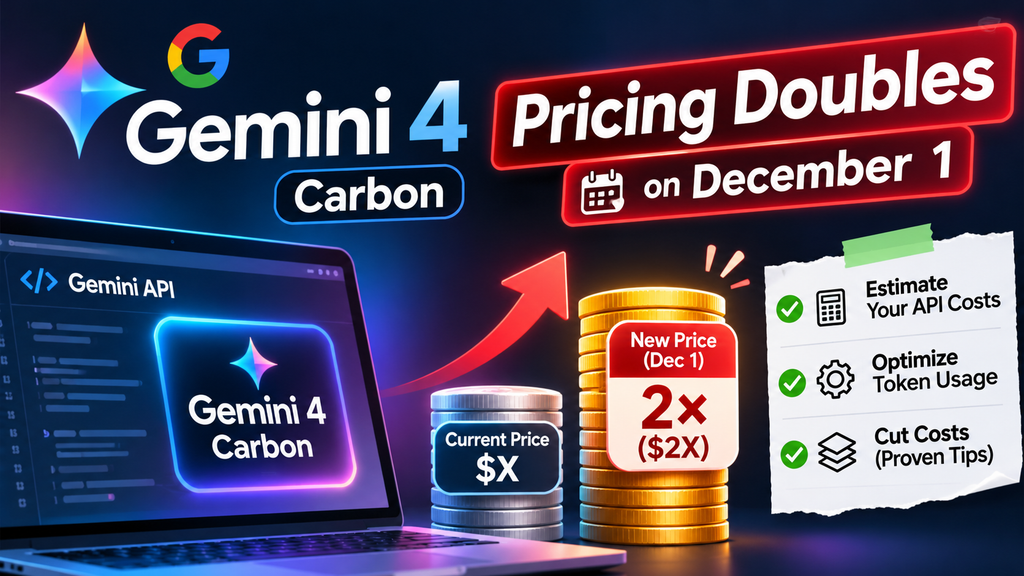
If you are building with Google’s newest AI model, a deadline is coming up fast. On November 10, Google opened Gemini 4 Carbon to paying developers, businesses, and AI Ultra subscribers at an introductory price. That price ends on November 30. From December 1, both rates double.
The jump looks simple on paper, but real AI bills are rarely simple. Hidden costs such as internal reasoning tokens, long prompts, and repeated agent loops can push your monthly total far beyond a quick estimate. A prototype that costs pocket change today could become a meaningful line item in a week.
This guide explains what Gemini 4 Carbon is, what the new pricing looks like, how to calculate your own costs with worked examples, and the practical steps that keep your bill under control. The figures below come from launch coverage, so confirm the current numbers on Google’s pricing page before you commit to a budget.
What Is Gemini 4 Carbon?
Gemini 4 Carbon is Google’s most powerful model in the Gemini 4 family. Google first gave it to a small group of cybersecurity defenders in late October, then opened it more widely on November 10. It is available through the paid Gemini API in Google AI Studio and Android Studio, and AI Ultra subscribers can use it in AI Studio, the Gemini app, AI Mode in Search, and Google’s Antigravity coding environment.
Google positions Carbon for demanding work:
- Long-horizon tasks: Agent jobs that run for hours or even days with minimal supervision.
- Cybersecurity and secure coding: Google highlights frontier-level security performance.
- Multi-agent “swarm” tools: A preview in Antigravity lets several agents work together on a project.
Importantly, Google has said its earlier model, Gemini 4 Argon, remains a good fit for most software engineering and knowledge work. Carbon is meant for harder problems, which is a useful clue when deciding what to pay for.
The Pricing: Before and After December 1
Here are the standard API rates reported at launch, per one million tokens:
- Until November 30: $2 for input, $10 for output.
- From December 1: $4 for input, $20 for output.
Launch reporting also noted a 95 percent discount for cached input tokens at the introductory stage. Check whether and how that discount applies after the price change.
Several outlets compared Carbon with rival flagship models from OpenAI and Anthropic and described it as cheaper per token, even after the increase. Per-token price is only part of the story, though. A model that thinks longer can use more tokens per task, which narrows the gap. Compare cost per finished task, not cost per token.
Understanding What You Are Actually Billed For
Before doing any math, know the three pieces of a typical bill.
Input Tokens
Everything you send: your prompt, instructions, documents, chat history, and tool results. A token is roughly three-quarters of an English word.
Output Tokens
Everything the model writes back. Output is priced higher than input, so long answers cost noticeably more.
Reasoning Tokens
This is the one that surprises people. Reports on Carbon’s pricing say internal reasoning counts toward the bill. The model’s “thinking” is not shown in the answer, but you still pay for it, generally at the output rate. A short reply can therefore be expensive if the model reasoned at length first.
Worked Example: Cost of One Request
Let us say a typical request in your app looks like this:
- 2,000 input tokens
- 500 output tokens visible to the user
- 1,500 reasoning tokens (billed as output)
That is 2,000 billable output tokens in total.
Before December 1:
- Input: 2,000 tokens at $2 per million = $0.004
- Output: 2,000 tokens at $10 per million = $0.020
- Total: $0.024 per request
After December 1:
- Input: 2,000 tokens at $4 per million = $0.008
- Output: 2,000 tokens at $20 per million = $0.040
- Total: $0.048 per request
At 100,000 requests a month, that is $2,400 before the change and $4,800 after. Notice that output and reasoning make up most of the bill, which tells you where to focus savings.
Seven Ways to Control Your Gemini 4 Carbon Costs
1. Use the Right Model for Each Task
This is the single biggest saver. Route simple jobs, such as classification, short summaries, and routine chat, to a cheaper model, and reserve Carbon for work that truly needs it. Google’s own guidance that Argon covers most coding and knowledge tasks is a strong hint.
2. Cap Output Length
Set a maximum output token limit and tell the model to be concise when long answers are unnecessary. Since output is the expensive side, trimming it has an outsized effect.
3. Limit or Tune Reasoning
If the API offers a setting for reasoning effort or thinking budget, lower it for easy tasks. Test your own prompts: for many everyday jobs, extra reasoning adds cost without improving results.
4. Use Context Caching
If you send the same long instructions, documents, or code context repeatedly, caching can cut input costs sharply. With a 95 percent discount on cached input, as reported at the introductory stage, the saving can be large for prompt-heavy apps.
Using our example, suppose 1,500 of the 2,000 input tokens are cached and the discount holds after December 1:
- Cached input: 1,500 tokens at $4 per million, discounted 95 percent = about $0.0003
- Uncached input: 500 tokens at $4 per million = $0.002
- Output and reasoning: 2,000 tokens at $20 per million = $0.040
- Total: about $0.0423 per request, versus $0.048 without caching.
The saving is real but modest here because output dominates. Caching matters most when your prompts are very long and your answers are short.
5. Keep Prompts Lean
Remove repeated boilerplate, trim old chat history, and send only the context the model needs. Every unnecessary token is billed on every request.
6. Put Guardrails on Agents
Long-running agents can loop, retry, and call tools repeatedly. Set a maximum number of steps, a time limit, and a spending cap per job. An unmonitored agent running for days is exactly where surprise bills come from.
7. Monitor Spending Daily
Set budget alerts in your Google Cloud or AI Studio billing settings, and log tokens used per request in your own app. Track cost per user and per feature so you can spot spikes early.
Build a Simple Cost Estimator
A quick spreadsheet makes budgeting painless. Create columns for:
- Requests per month
- Average input tokens
- Average visible output tokens
- Average reasoning tokens
- Input rate and output rate
Then calculate monthly cost as: requests times (input tokens times input rate, plus output and reasoning tokens times output rate), divided by one million. Build one scenario with the current rates and one with the December rates, then add a 25 to 50 percent buffer for growth and retries.
Should You Switch Models Before December 1?
Not necessarily. The deadline is a good reason to review your costs, not to rush a migration. Ask yourself:
- Does Carbon beat your current model on your own tasks? Run a small test set before committing.
- Is the quality gain worth the higher price? If a cheaper model is nearly as good, the savings may win.
- Can you tolerate price changes? Introductory prices can change, so avoid designs that only work at the lowest rate.
If you are only experimenting, enjoy the discounted days. If you are heading to production, budget at the December rates from the start.
Frequently Asked Questions
When does the Gemini 4 Carbon price increase?
The introductory rate runs through November 30, 2026. From December 1, reported rates are $4 per million input tokens and $20 per million output tokens.
Do reasoning tokens cost extra?
Coverage of Carbon’s pricing says internal reasoning counts toward your bill. In practice, treat reasoning as billable output unless Google’s pricing page says otherwise.
Is Gemini 4 Carbon cheaper than competing models?
Per token, launch coverage described it as cheaper than rival flagships from OpenAI and Anthropic, even after the increase. Total cost depends on how many tokens each model uses to finish your task, so test with your own prompts.
Who can use Gemini 4 Carbon?
Paying developers and businesses through the Gemini API, and Google AI Ultra subscribers through Google’s apps and tools. It is not part of the free tier.
Should I use Argon instead?
For many everyday coding and knowledge jobs, yes. Google itself says Argon suits most of that work. Use Carbon when you need its stronger long-horizon or security capabilities.
Conclusion
The December 1 price change is a useful reminder that AI costs deserve the same attention as any cloud service. Measure your real token usage, including reasoning, route simple work to cheaper models, cap output, cache repeated context, and put limits on agents. Do that before the new rates arrive, and the doubled price per token will not double your bill.